
Upload a bank statement
Upload an Excel or CSV bank statement, check how SocietyBee reads the columns, dates and balances, import it, and manage earlier uploads including how to undo one.
Before you start
What this does
Upload Statement reads the statement you download from net banking and lines it up with your bank book. The upload itself posts nothing. It only stores the statement lines. You then review the matches in the next step. See Review the matches.
Where to find it
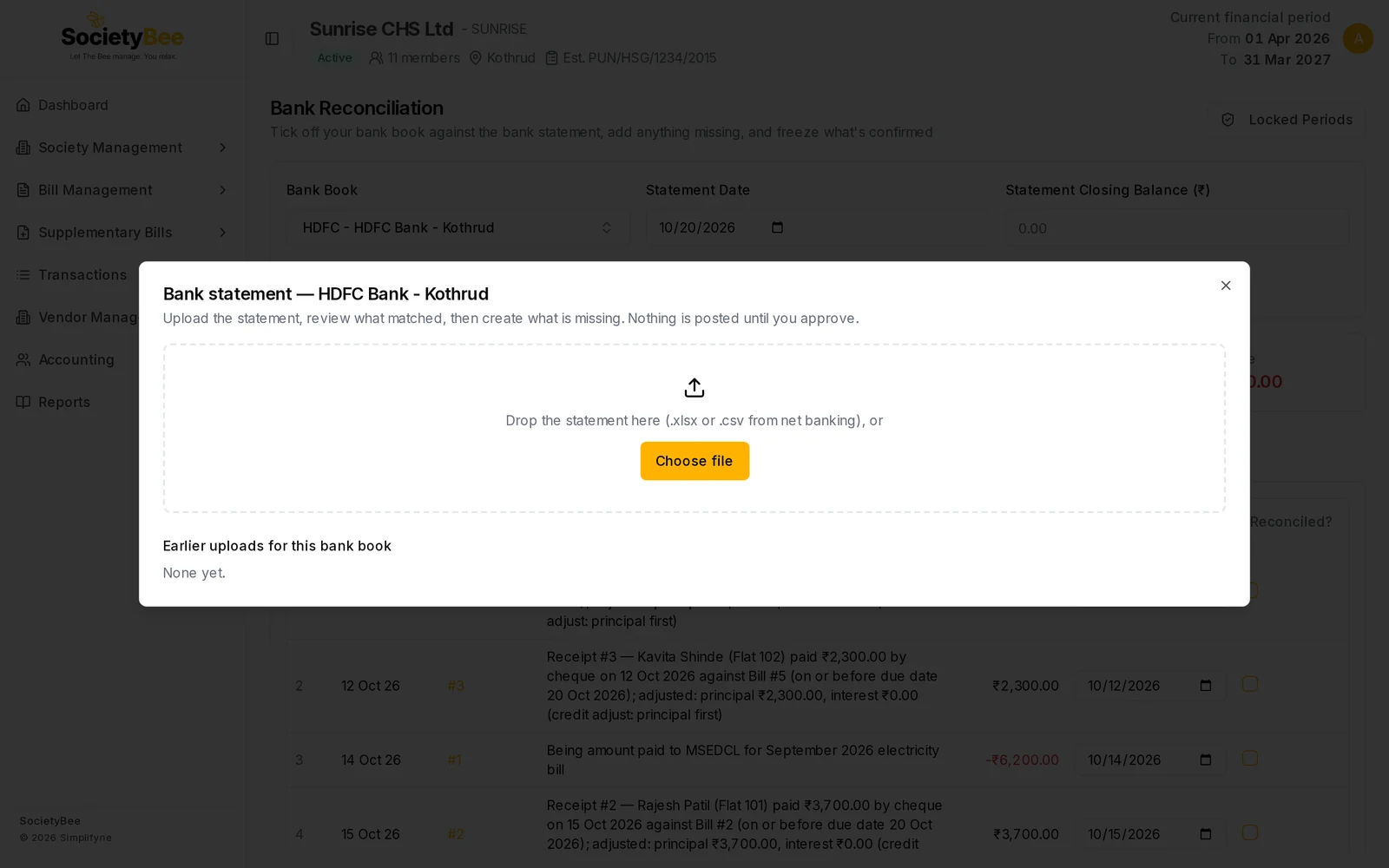
Go to Transactions > Bank Reconciliation, choose the bank book and press Upload Statement. The window is titled Bank statement with the book name.
Before you start
Download the statement for the period from your bank's net banking as .xlsx, .xls or .csv. The file must be 5 MB or smaller. PDF statements are not accepted. Choose a period that falls inside your financial year.
Steps
Choose the file
Drop the file on the dashed box, or press Choose file. The window reads it in your browser and moves to the check step.
Read the summary line
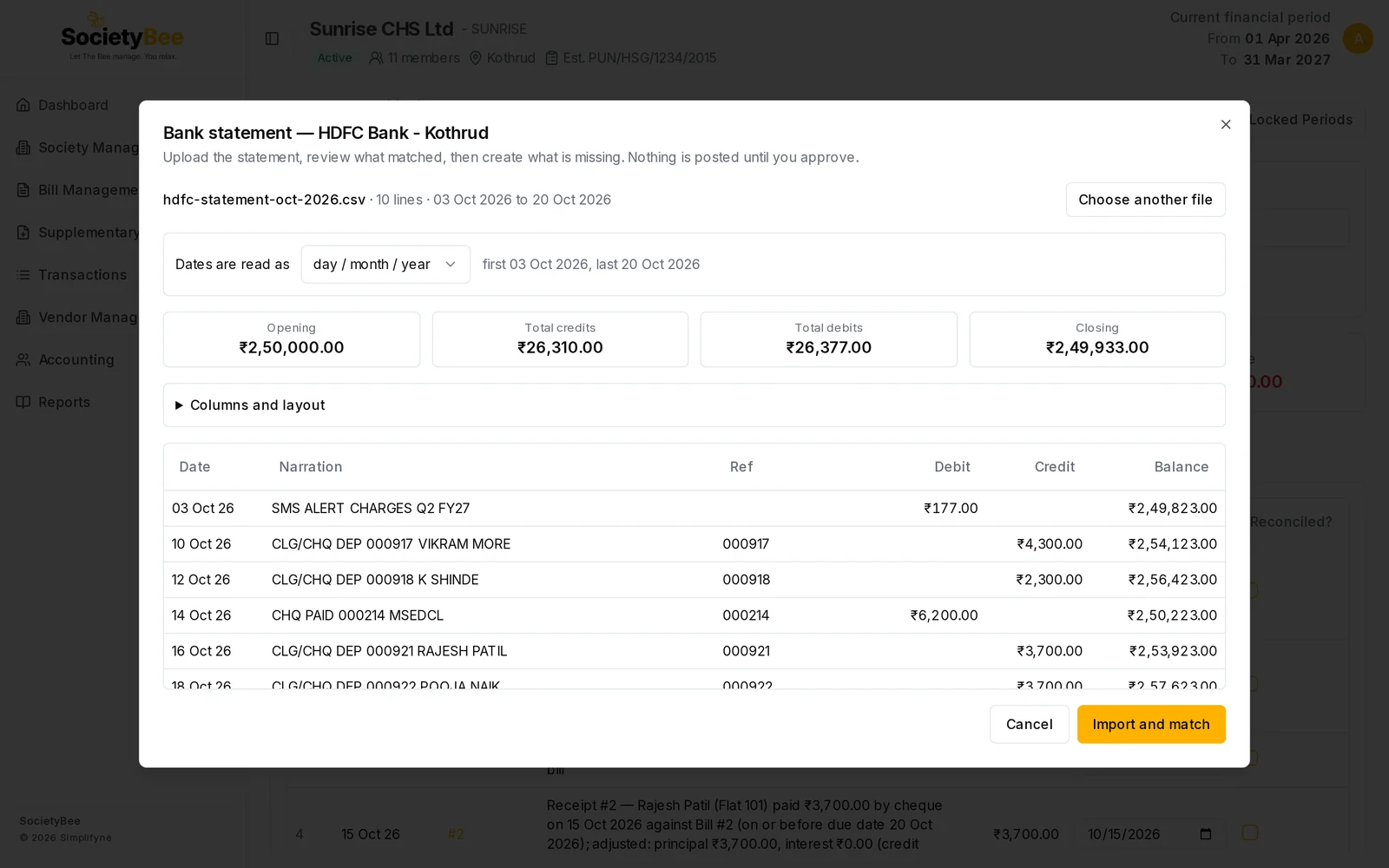
Under the file name you see the number of lines and the first and last dates, for example 10 lines · 03 Oct 2026 to 20 Oct 2026.
Check how the dates are read
The sentence Dates are read as shows day / month / year or month / day / year. Indian statements are normally day / month / year. If the file does not prove the order, a tick box These dates look right appears. Check the first and last dates, then tick it.
Check the four balance boxes
Opening, Total credits, Total debits and Closing are worked out from the file. They must tie, so that opening plus credits minus debits equals closing. If the file has no balance column, type the opening and closing balance from the statement into the two boxes.
Open Columns and layout if anything looks wrong
This section opens by itself when a problem is found. See the table below.
Look at the preview table
The first eight and last three lines are shown with their Date, Narration, Ref, Debit, Credit and Balance.
Press Import and match
The button is grey until every check passes. The message Statement imported appears with the number of lines added, and you move to the review step.
Columns and layout
SocietyBee finds the header row and the columns by itself. If your bank uses unusual headings, set them here.
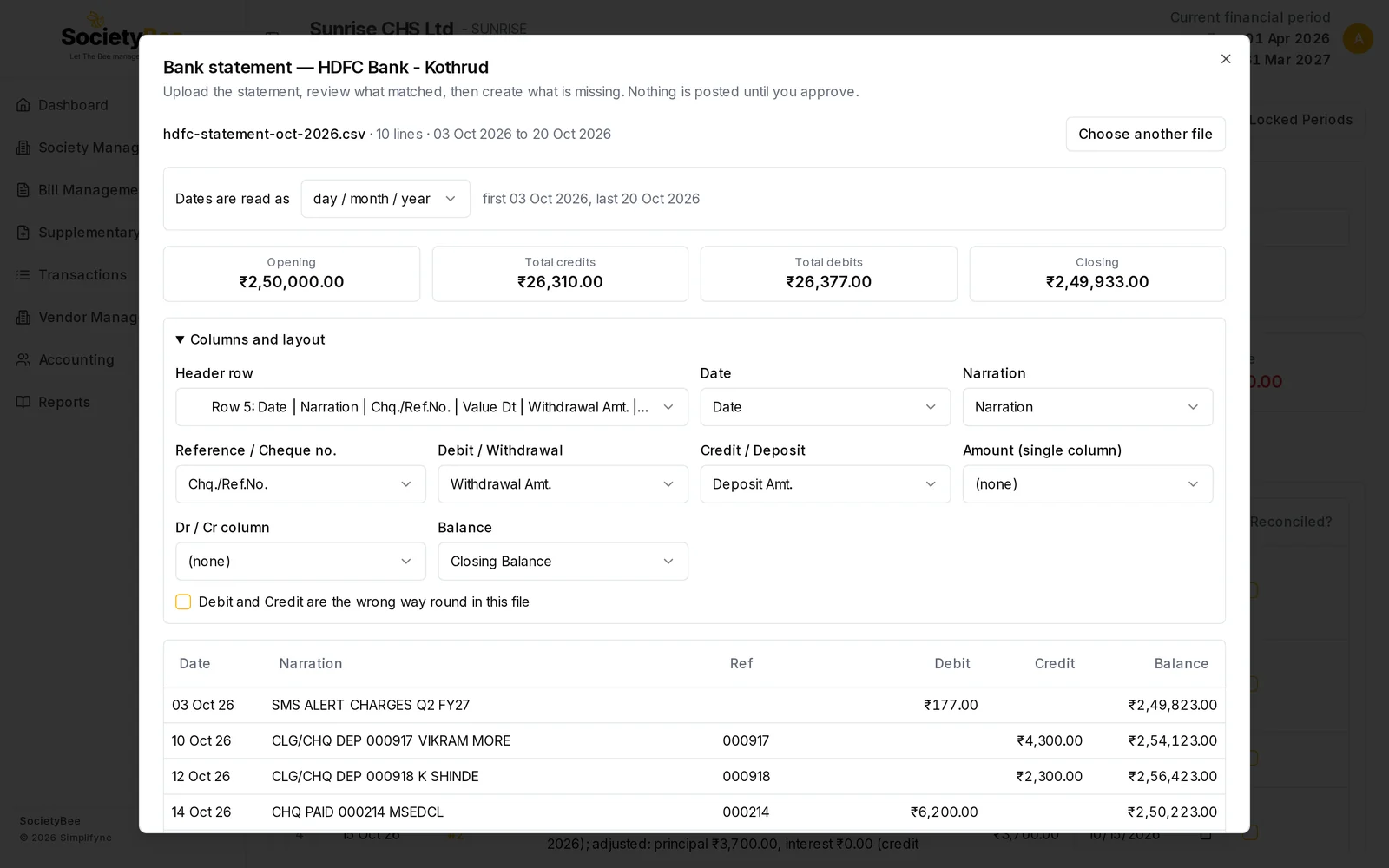
| Control | What it does |
|---|---|
| Header row | The row of the file that holds the column names. Bank statements often have title lines above it. |
| Date | The transaction date column |
| Narration | The description of the entry |
| Reference / Cheque no. | The cheque number or UTR. It is the strongest hint when matching. |
| Debit / Withdrawal and Credit / Deposit | Money out and money in, in separate columns |
| Amount (single column) and Dr / Cr column | Use these instead when the bank gives one amount column with a Dr or Cr marker |
| Balance | The running balance. With it, the opening and closing balance are worked out for you. |
| Debit and Credit are the wrong way round in this file | Tick if debits show as credits |
Checks that stop an import
The check step shows red messages when a file cannot be imported. Fix the cause or choose another file.
| Message | What to do |
|---|---|
| Could not find the column headings… | Pick the Header row yourself |
| Could not tell which columns are Date and Debit / Credit… | Map the columns in Columns and layout |
| Totals do not tie… | Debit and Credit may be swapped. Tick the swap box or fix the mapping. |
| Running balance does not follow at row… | A row is missing, the columns are swapped or the wrong column is the Balance |
| The statement has a future date… | Download the statement again after the last date has passed |
| This statement is for account … but … is account … | You chose the wrong bank book. If it is the right one, tick I have checked: this statement does belong to the book. |
| This exact file was already uploaded as… | The same file is already stored. Open it from Earlier uploads. |
| No transaction falls inside the financial period… | The file is for a different year |
| … line(s) are outside the financial period… will be skipped | Tick Skip these lines and import the rest of the financial period. This needs a Balance column. |
Amber messages are warnings and do not stop the import. For example, Overlaps "…" means a line already imported will be skipped, and Opening balance … does not continue from the previous statement means a statement may be missing in between.
Earlier uploads
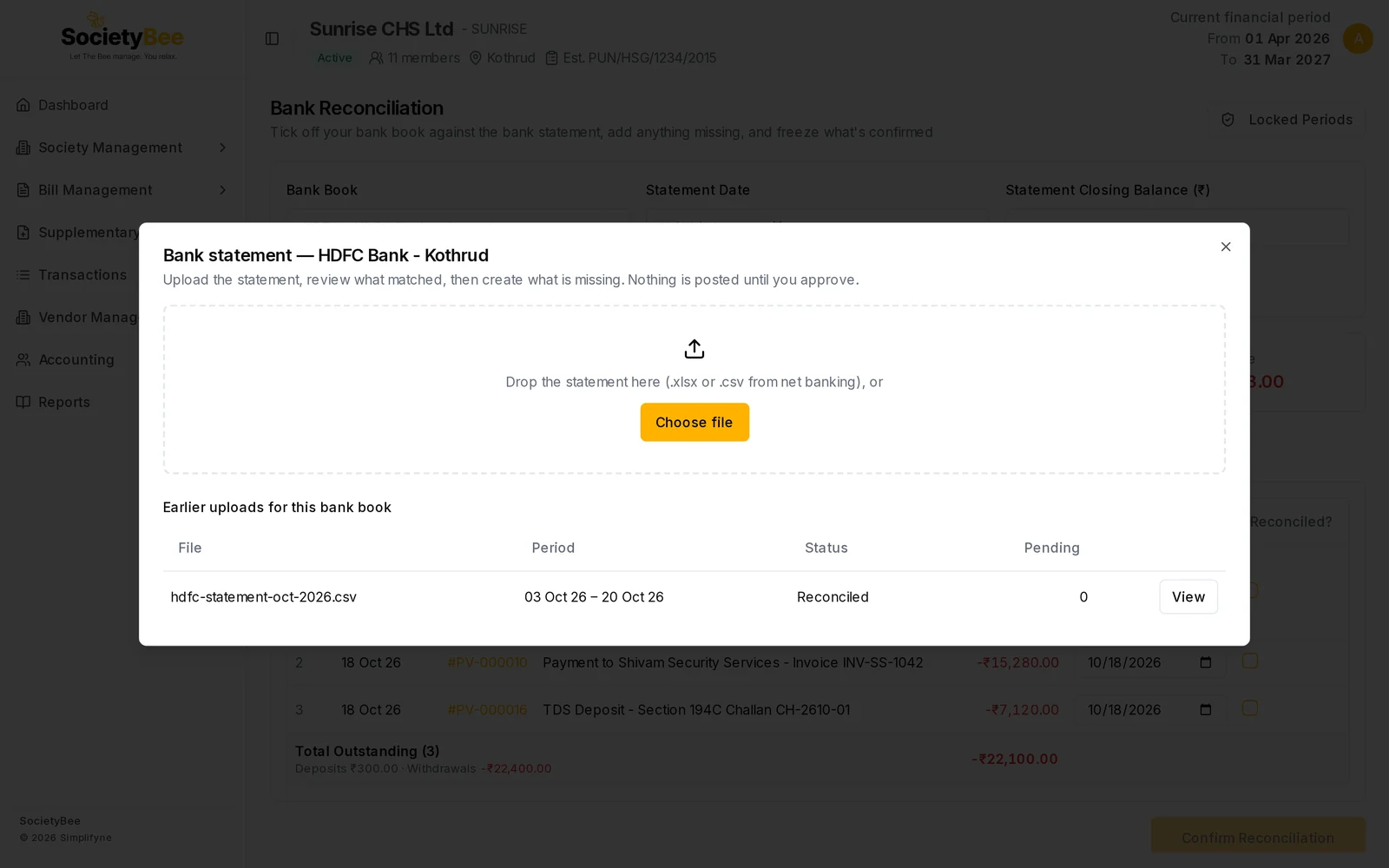
The start step lists every upload of this bank book.
| Column | Meaning |
|---|---|
| File | The file name |
| Period | The first and last date of the statement lines |
| Status | Imported, In review or Reconciled |
| Pending | Lines still waiting for a decision |
| Continue or View | Reopens the review. View replaces Continue once the statement is reconciled. |
| Undo upload | Cancels the upload. Shown only while the status is Imported or In review. |
Undo an upload
Press Undo upload, type a Reason, for example wrong month uploaded, and confirm. Entries that already existed are only un-reconciled. Receipts and vouchers created from this statement are cancelled or reversed, never deleted. An upload cannot be undone inside a frozen period. The same file can be uploaded again afterwards.
Common mistakes and questions
The dates are read as month first. Change Dates are read as to day / month / year. The first and last date next to it update, so you can check.
The balance boxes ask me to type values. The file has no balance column. Copy the opening and closing balance from the bank's statement.
Which lines are skipped? Lines dated outside your financial year, only after you tick Skip these lines…. Lines that were imported earlier are skipped too.
Can I import without a bank account number in the file? Yes. The account check runs only when the file header shows an account number and the bank book has its account number saved.
What happens next
Go on to Review the matches.