
Bank reconciliation at a glance
What bank reconciliation is, how the Bank Reconciliation page is laid out, what Book Balance, Cleared as per Books, Statement Balance and Difference mean, and the two ways to reconcile.
Before you start
What this does
Bank reconciliation checks that your bank book agrees with what the bank says. For each entry in the book you confirm that the bank also shows it, and on which day. Entries that the bank does not show yet, such as a cheque you issued that nobody has deposited, stay open. Anything the bank shows that your book is missing, such as bank charges or interest, is added.
The date the bank cleared an entry is called its bank date. An entry with a bank date is reconciled. An entry without one is still outstanding.
Where to find it
Go to Transactions > Bank Reconciliation. Only bank books are listed. Cash books are not reconciled.
The two ways to reconcile
| Way | Use it when | Article |
|---|---|---|
| Tick entries by hand | You have a paper or PDF statement, or only a few entries | Reconcile by ticking entries |
| Upload the statement | You can download an Excel or CSV statement from net banking | Upload a bank statement |
Both end in the same place: reconciled entries with a bank date, and a row under Past Reconciliations.
Read the page
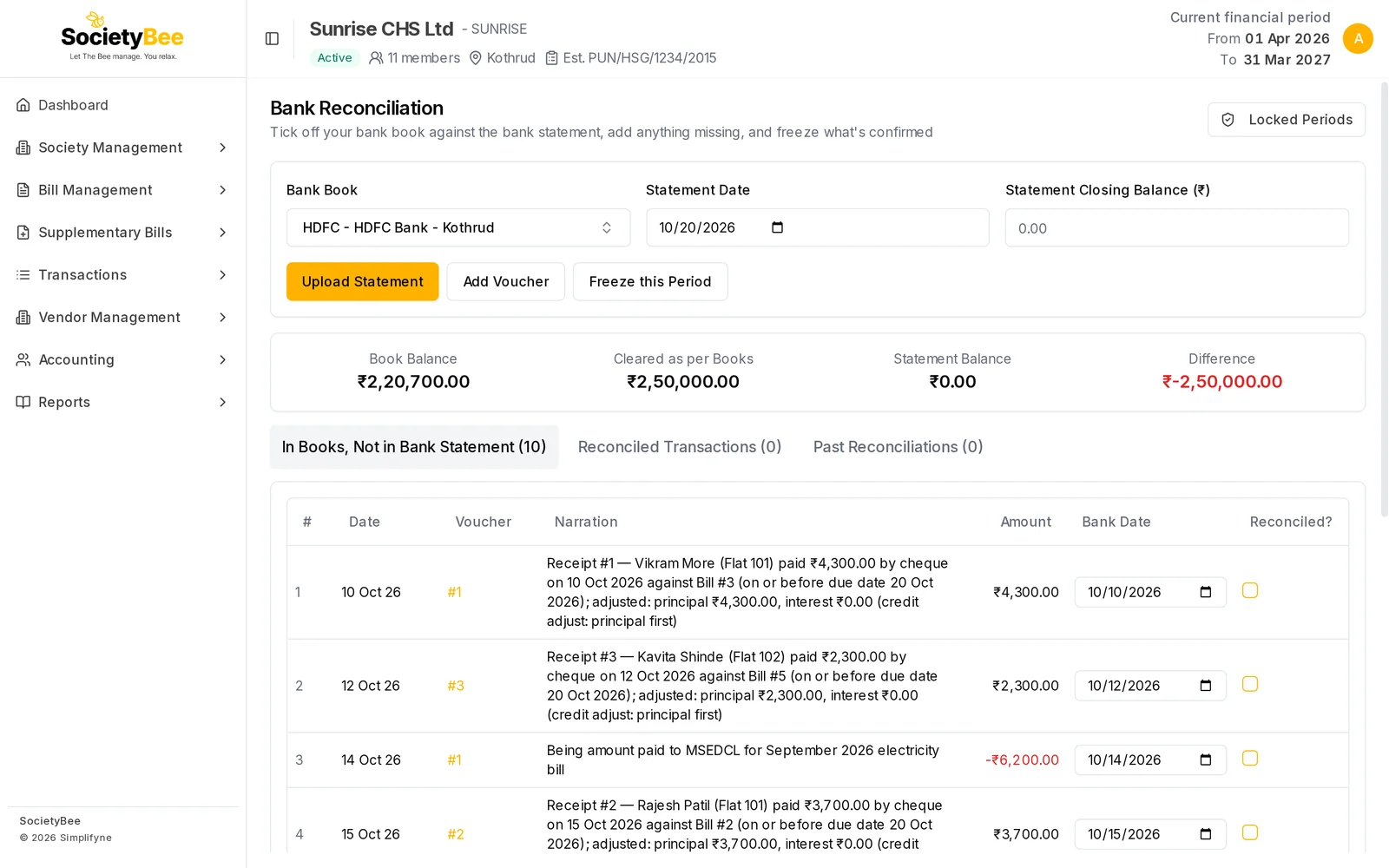
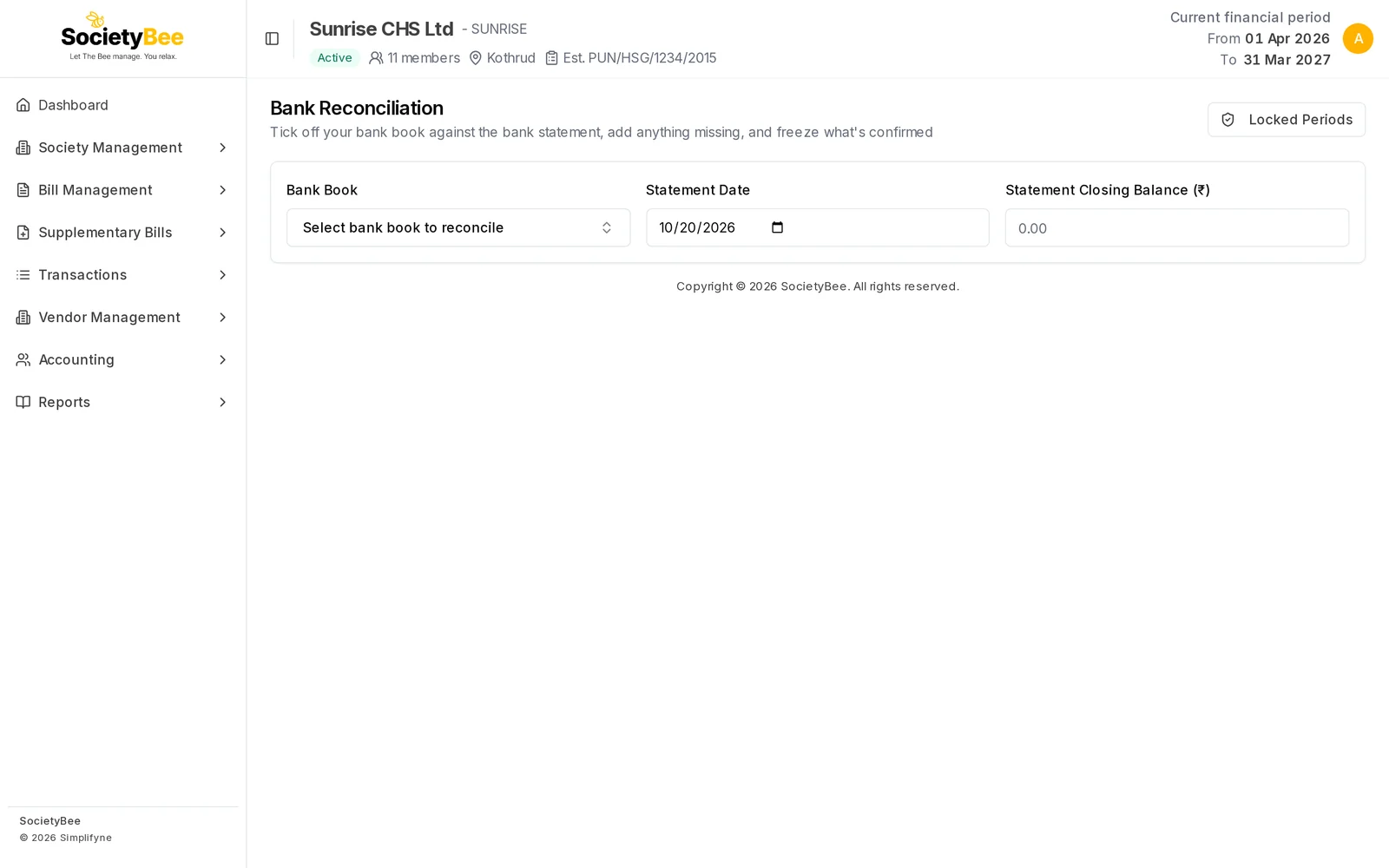
Choose the Bank Book
Pick the bank account to reconcile. Everything below belongs to this book.
Check the Statement Date
It starts as today. Change it to the last date on your statement. Entries dated after it are hidden.
Type the Statement Closing Balance
The closing balance printed on the statement, in rupees. Use a minus sign for an overdraft.
Watch the four balances
They update as you tick entries. The meaning of each is in the table below.
Work in the three tabs
In Books, Not in Bank Statement is the work list. Reconciled Transactions and Past Reconciliations show what is done.
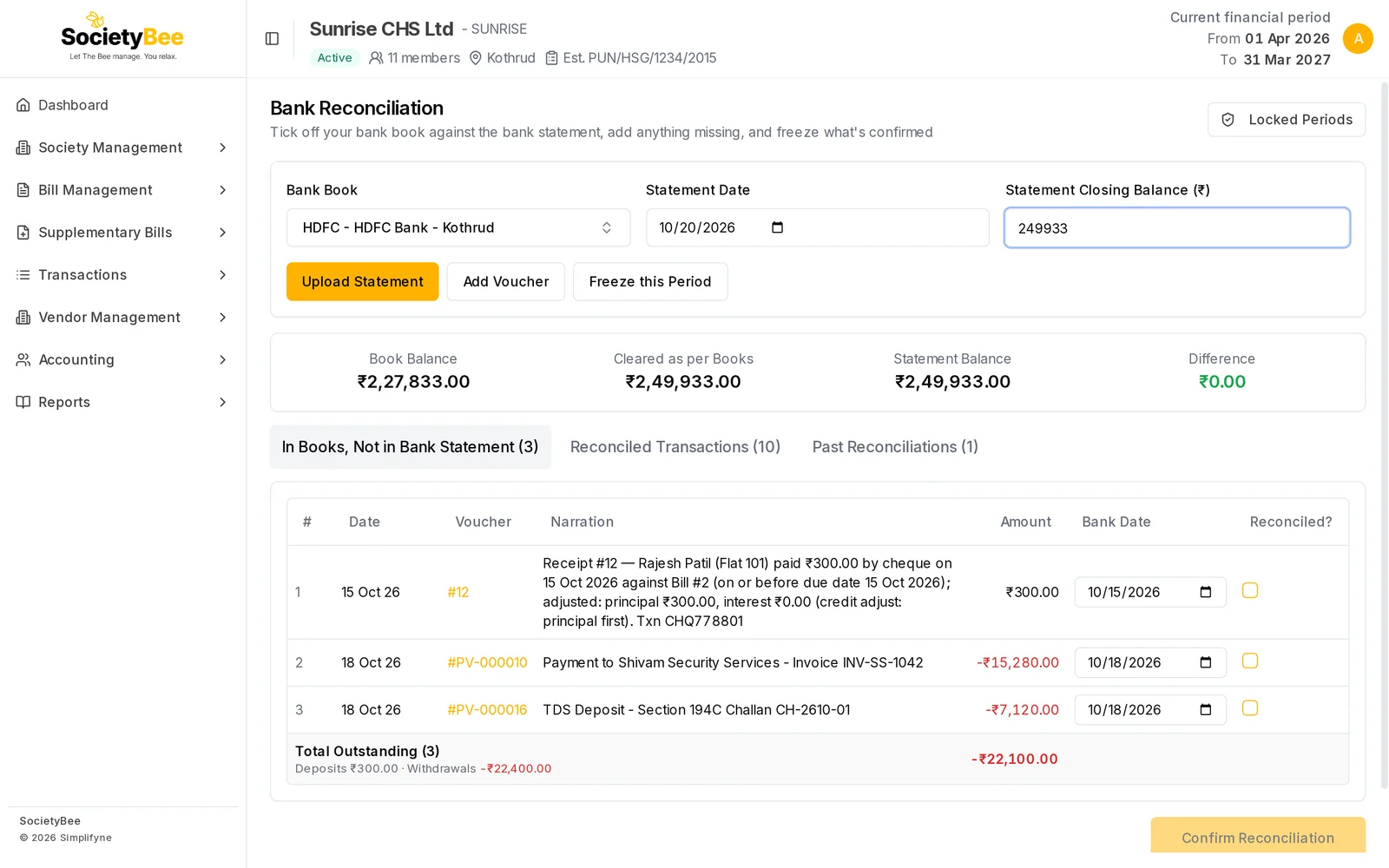
| Box | What it means |
|---|---|
| Book Balance | The book's opening balance plus every entry dated on or before the Statement Date, whether or not the bank has cleared it |
| Cleared as per Books | The opening balance plus the entries that have a bank date on or before the Statement Date, including entries you have ticked on this screen. This is what the bank statement should show. |
| Statement Balance | The closing balance you typed |
| Difference | Statement Balance minus Cleared as per Books. Green when it is ₹0.00, red otherwise. |
The buttons
| Button | What it does |
|---|---|
| Upload Statement | Reads a bank statement file and matches it to your entries. See Upload a bank statement. |
| Add Voucher | Posts an entry that is on the statement but missing from the book. See Add a missing voucher. |
| Freeze this Period | Locks a date range of this bank book. See Freeze a period. |
| Locked Periods | Opens the list of locks. Top right of the page. |
These three buttons appear only after you choose a bank book.
What is shown and what is left out
The In Books, Not in Bank Statement tab lists entries of the chosen book that have no bank date and are dated on or before the Statement Date. Cancelled entries and their reversal entries are left out, so a cancelled receipt does not need to be reconciled.
Common mistakes and questions
My bank book is not in the list. Only books of type bank are listed. Add the account under Bank books, cash book and chart of accounts.
An entry I expect is missing from the work list. It may be dated after the Statement Date, already reconciled, or cancelled. Move the Statement Date later, or look in Reconciled Transactions.
The Difference is not zero. The statement has an entry the book does not, or the book has one with the wrong amount or date. Work through the entries until it reaches ₹0.00. For the steps, see Reconcile by ticking entries.
What happens next
Reconcile the book, then freeze the period so nobody changes it afterwards.