
Freeze a period and locked periods
Lock a date range of a bank book, or of the whole society, so nothing can be posted, edited, deleted or re-dated in it, and see or release your locks.
Before you start
What this does
A lock freezes a date range. Inside it, no entry can be posted, backdated into the range, edited or deleted, and no bank date can be changed. Use it once a period is reconciled and reported, so the figures cannot move afterwards.
Where to find it
There are two places.
- Freeze this Period on the Bank Reconciliation page. It locks the bank book you chose.
- Locked Periods at the top right of that page. It opens a page that lists every lock, creates a lock for one book or the whole society, and releases locks.
Freeze this Period
Choose the bank book
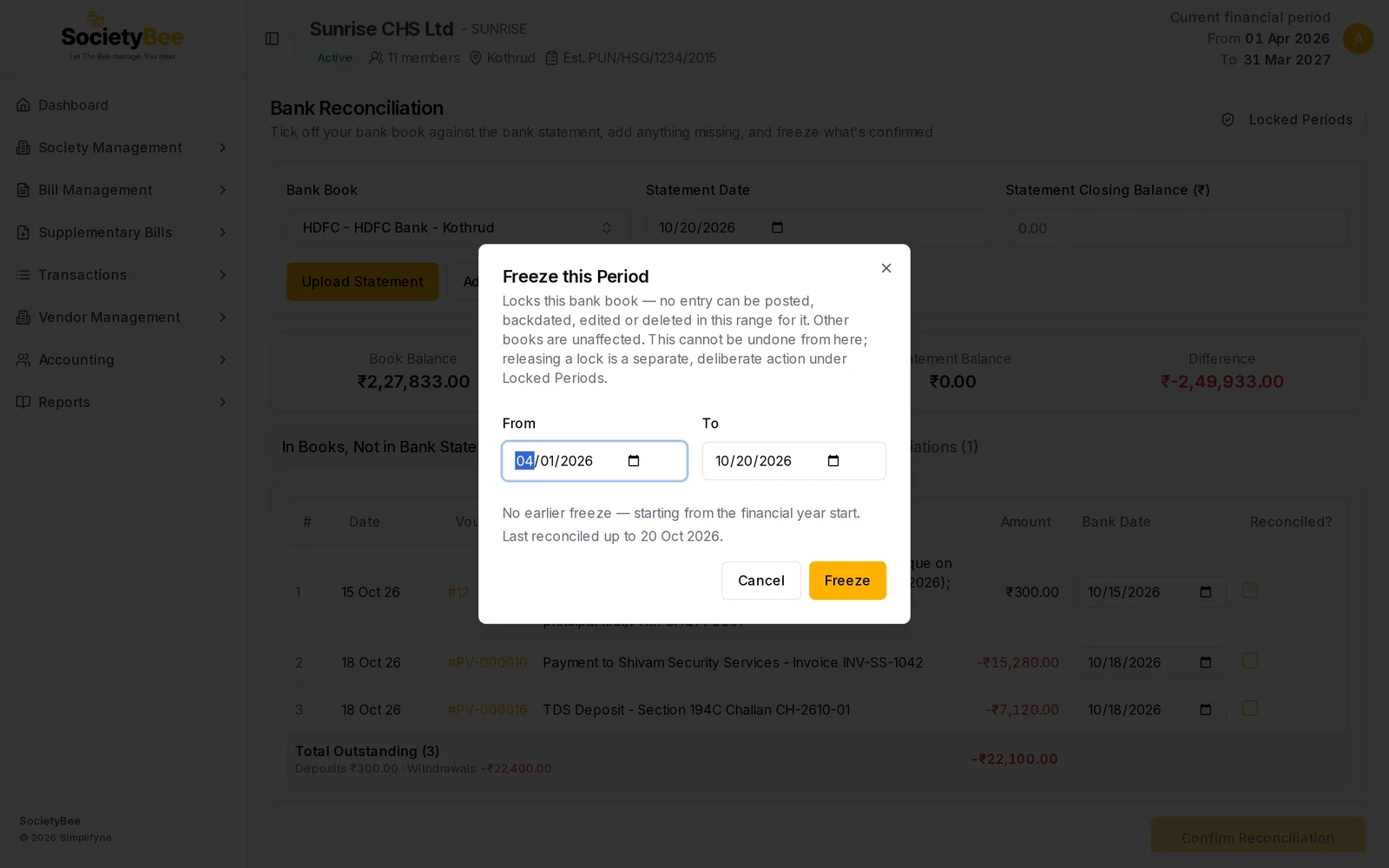
On the Bank Reconciliation page, choose the book and press Freeze this Period.
Check From and To
To starts as the Statement Date. From starts the day after your latest lock, or at the start of the financial year if there is none. Change either if needed.
Read the two notes
The window says whether an earlier freeze exists and when the book was last reconciled.
Press Freeze
The message Period frozen appears.
| Message | Meaning |
|---|---|
| Already frozen through … starting from the next day. | An earlier lock exists. From continues from it. |
| This range is already frozen. Pick a later "To" date. | To is on or before the last lock. Freeze is disabled. |
| "To" is past the last reconciled date… | Entries after the last reconciliation have not been matched with the statement. Pick an earlier To, or reconcile first. Freeze is still enabled, so the check is yours to make. |
What a lock stops
For the locked book, or for every book when the lock is for the whole society:
| Action | Result |
|---|---|
| Posting a new entry dated in the range | Blocked |
| Editing or deleting an entry dated in the range | Blocked |
| Moving an entry into the range by changing its date | Blocked |
| Posting an entry with a bank date in the range | Blocked |
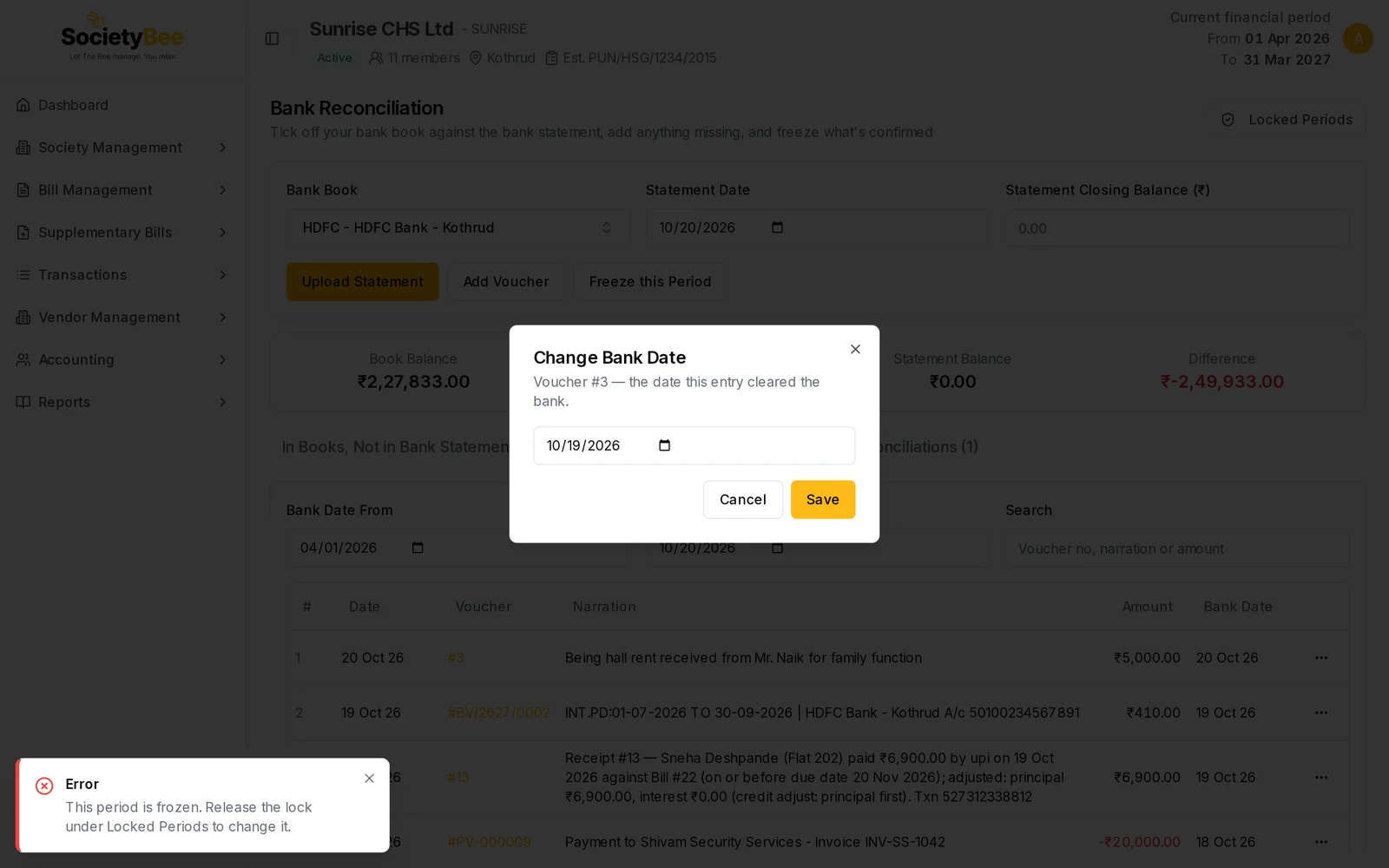
| Changing a bank date inside the range, or undoing a reconciliation there | Blocked |
Other books are not affected by a lock on one bank book. The message you see is This period is frozen. Release the lock under Locked Periods to change it. or, when posting, …to post here.
The Locked Periods page
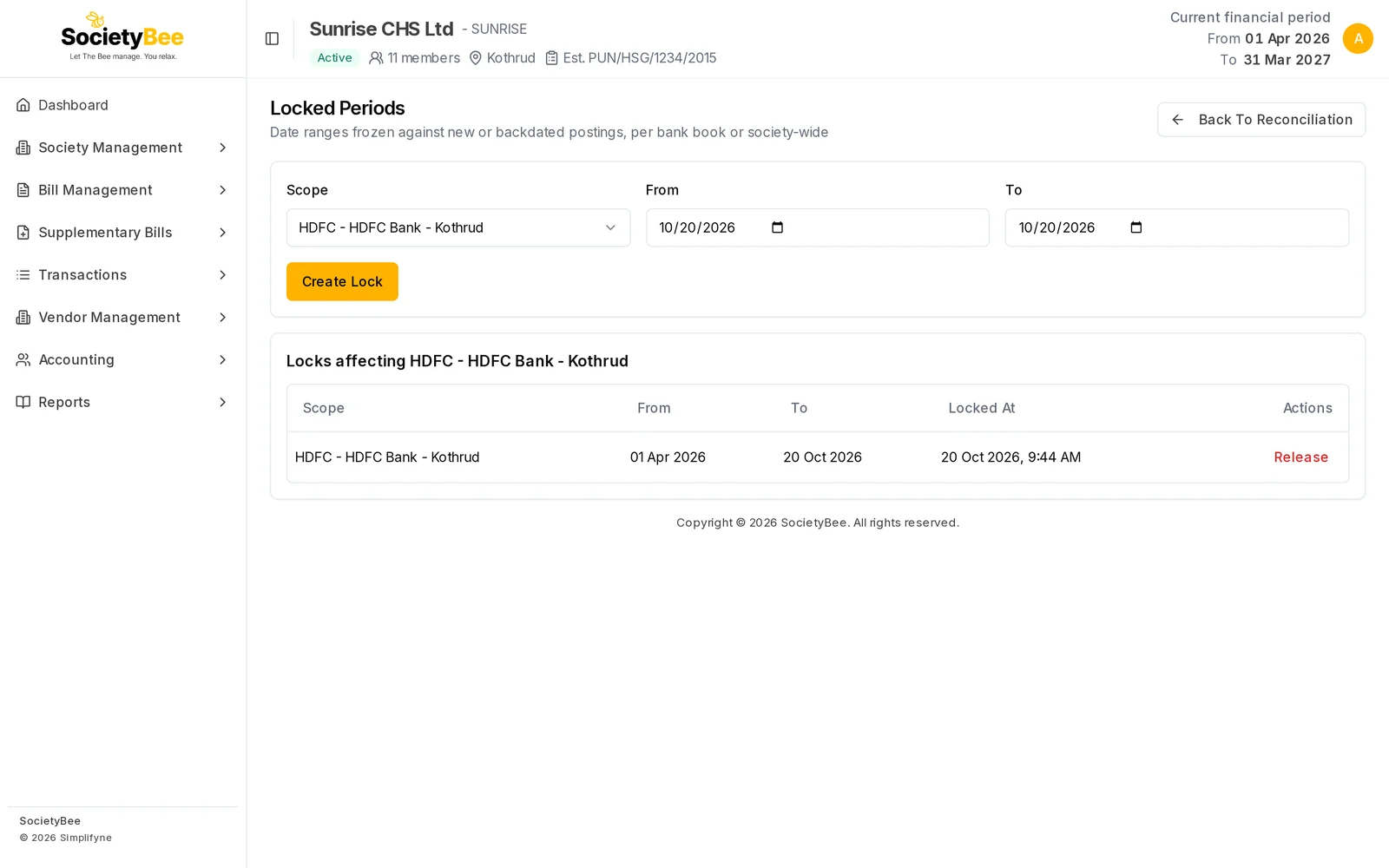
Choose the Scope
Whole Society or one bank book. The list below changes to match.
Enter From and To
Both start as today.
Press Create Lock
The message Lock created appears and the lock joins the table.
The table is titled Locks affecting … and shows every lock that touches the chosen book, including whole-society locks. Its columns are Scope, From, To, Locked At and Actions.
Release a lock
Press Release on the row. The lock is removed at once. There is no confirmation window. The message Lock released appears.
Fields and buttons
| Control | What it does |
|---|---|
| Freeze this Period | Locks the chosen bank book from the reconciliation page |
| Scope | Whole Society or one bank book |
| From, To | The first and last day locked, both included |
| Create Lock | Saves the lock |
| Release | Removes the lock |
| Back To Reconciliation | Returns to the Bank Reconciliation page |
Common mistakes and questions
I get "A lock for this book and start date already exists." A lock with the same scope and the same From date is there. Choose a different From, or release the old lock first.
Create Lock gave "End date must be on or after the start date." Swap the dates so To is not before From.
A whole-society lock stopped my receipts. It covers every book and every entry in the range, including receipts and bills. Release it, or make the entry outside the range.
Cash books are not in the Scope list. Only bank books are listed. Use Whole Society to lock the cash book as well.
What happens next
A locked period stays fixed. Reports such as the Trial balance for those dates no longer change.