
Edit or delete a member
Correct a member's details, change their amounts, or delete a member who was added by mistake, and learn when deletion is not allowed.
Before you start
What this page does
You can correct any member's details at any time, and you can delete a member who was added by mistake. This guide shows both, and the one rule to remember: a member who already has bills cannot be deleted.
Edit a member
Open the member
Go to Society Management > Members. Press the gear icon (tooltip Edit Member) on the member's row.
Change the details
The Basic Info tab opens with all the details filled in. Change what you need. The Member Code is greyed out and cannot be changed.
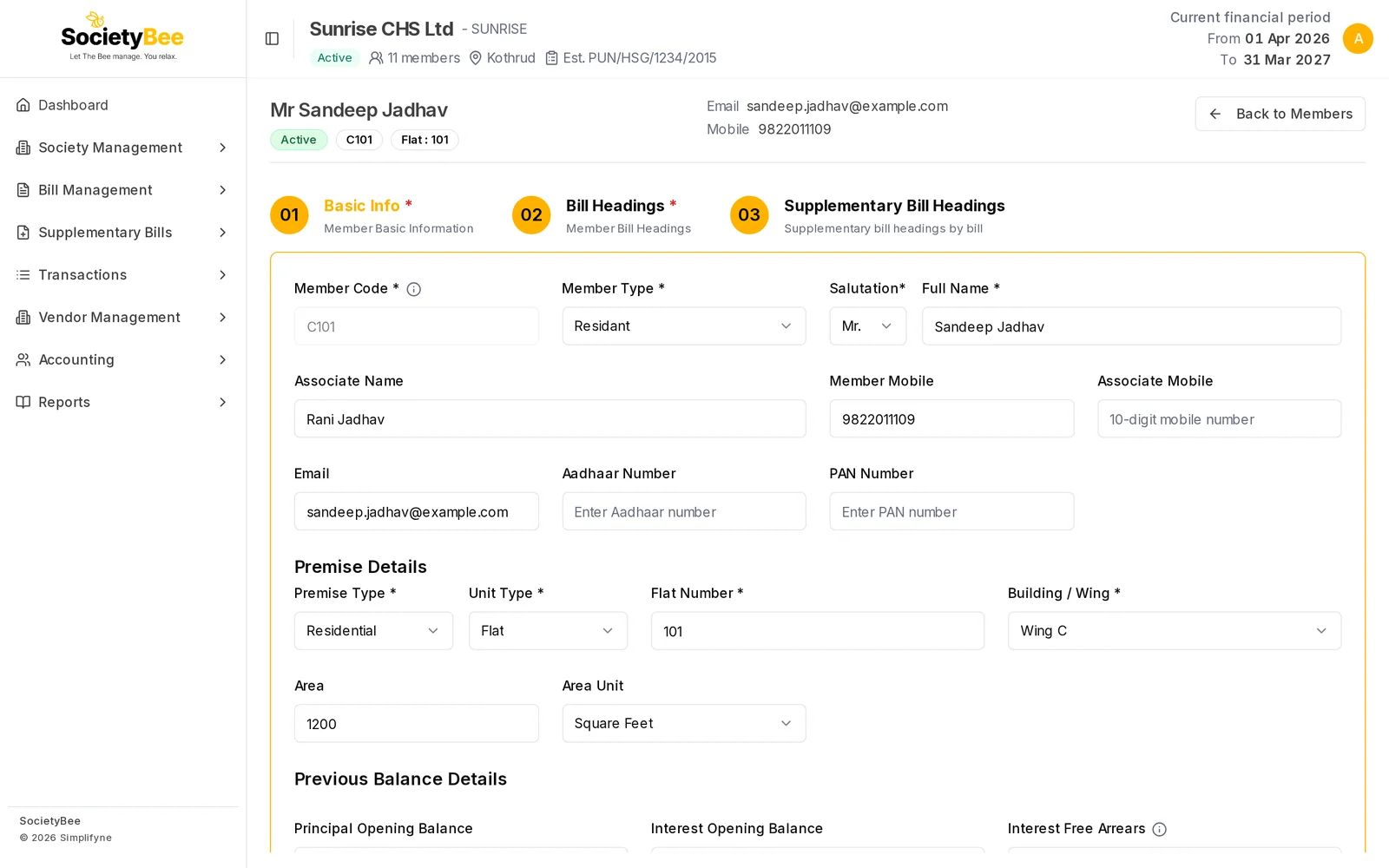
Editing a member. The Member Code stays fixed. Save
Press Save Details to stay on the page, or Save and Next to continue to the Bill Headings tab. To change amounts, use the Bill Headings tab.
Delete a member
Press the bin icon
On the member's row, press the red bin icon (tooltip Delete Member). SocietyBee first checks whether the member can be removed.
Confirm
The dialog says it will permanently remove the member and their bill heading rows, and that this cannot be undone. Press Delete member to confirm or Cancel to keep them. A message Member deleted successfully appears.
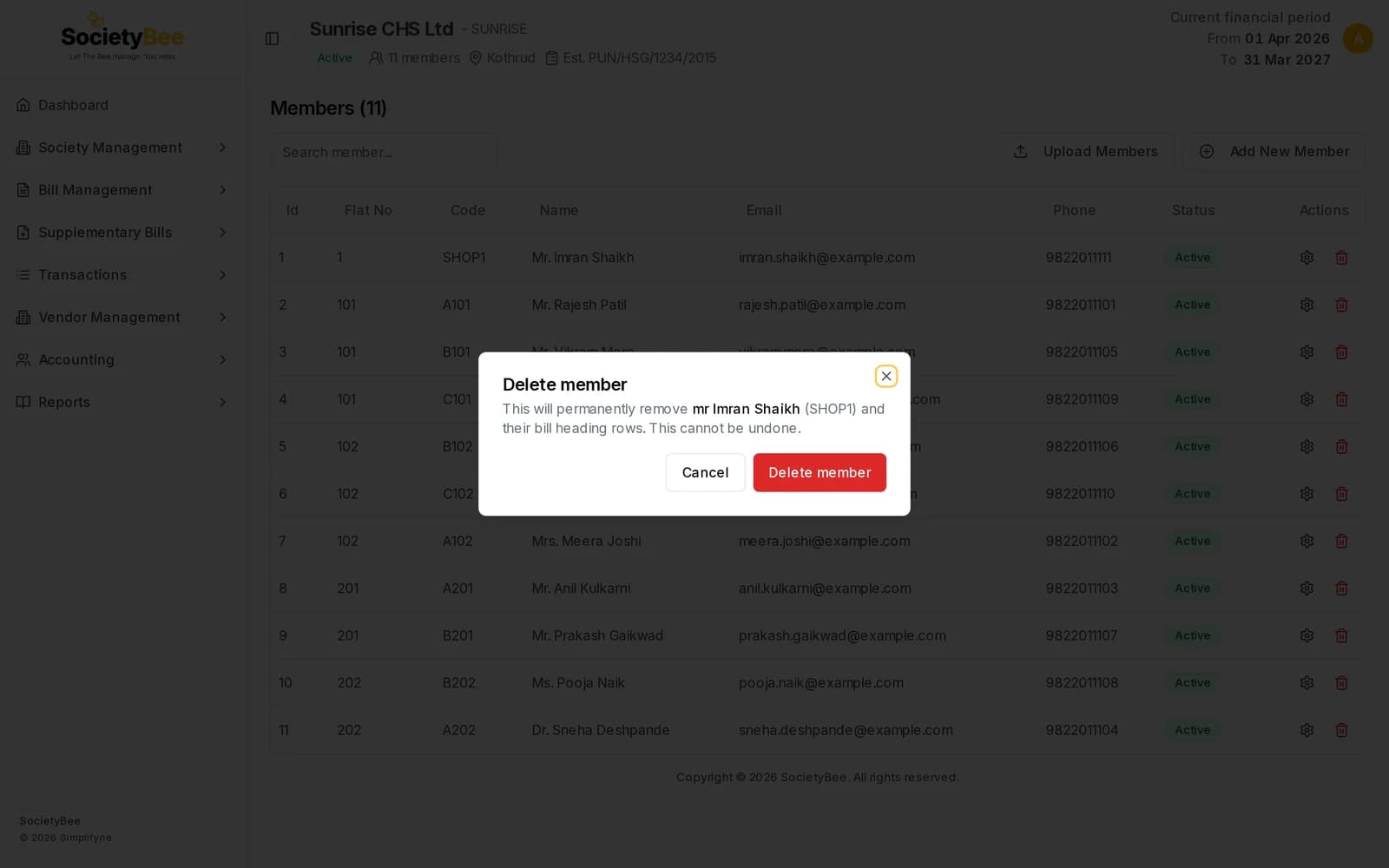
The confirmation. Deleting cannot be undone.
When deletion is blocked
A member who already has bills cannot be deleted. The dialog then says This member cannot be deleted because they already have bills in the system and only offers Close. Bills are part of your books and must stay. Use Edit instead to correct the member.
Fields and buttons
| Control | What it does |
|---|---|
| Gear icon (Edit Member) | Open the member's tabs |
| Save Details | Save the Basic Info and stay |
| Save and Next | Save and open Bill Headings |
| Member Code (greyed) | Cannot be changed after creation |
| Bin icon (Delete Member) | Start the delete check |
| Delete member | Confirm permanent removal |
| Cancel / Close | Leave without deleting |
Common mistakes and questions
Can I fix a wrong member code? No. The code is fixed. If it is wrong and the member has no bills, delete the member and add them again with the right code.
I deleted the wrong member. Deleting cannot be undone. Add the member again with the same details, then set their amounts.
Why is the bin icon asking me to wait? SocietyBee is checking for bills. The check takes a moment.
What happens next
Return to the member list, or continue with the Bills guides.