
Upload members in bulk from Excel
Download the Excel template, fill in all your members and their bill amounts, check the preview for errors, and import everyone in one go.
Before you start
What this page does
Upload Members adds many members at once from an Excel file, together with their contact details, flat details, old balances and the amount for every bill heading. Before anything is saved, SocietyBee shows a preview and flags every row that has a problem.
Where to find it
Go to Society Management > Members and press Upload Members.
Upload your members
Download the template
In the Upload Members in Bulk dialog, press Download Excel Template. The file is made for your society: it already has one column for each of your bill headings, pre-filled with the default amounts, and a list of allowed values.
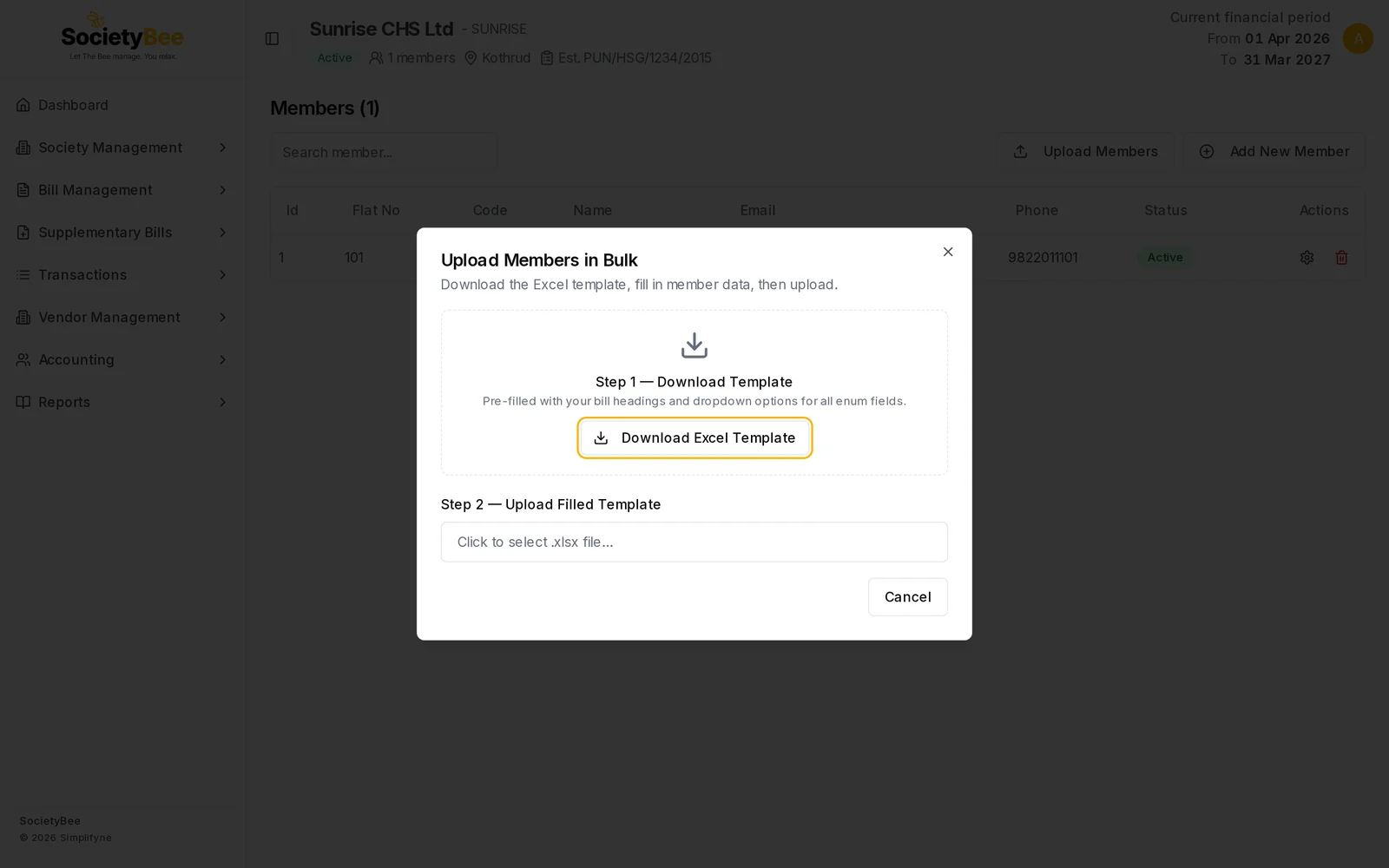
Step 1 is the template. Step 2 is your filled file. Fill in the sheet
Open the file in Excel. Do not edit rows 1 to 3. Row 4 is a sample member (code
M001), so delete it or type over it. Start your members in row 4 or 5 and fill one row per member. See the column guide below.Use the allowed values
For fields with a fixed list, such as Member Type or Unit Type, use exactly the values on the Valid Values sheet. The template adds dropdowns for them in the first 200 data rows, so one file can hold up to about 200 members. Split bigger lists into several files.
Choose the file
Back in SocietyBee, click Click to select .xlsx file... and pick your file.
Read the preview
The dialog changes to Preview and lists every row with a green Valid tag or a red message. See Fix the errors.
Press Upload
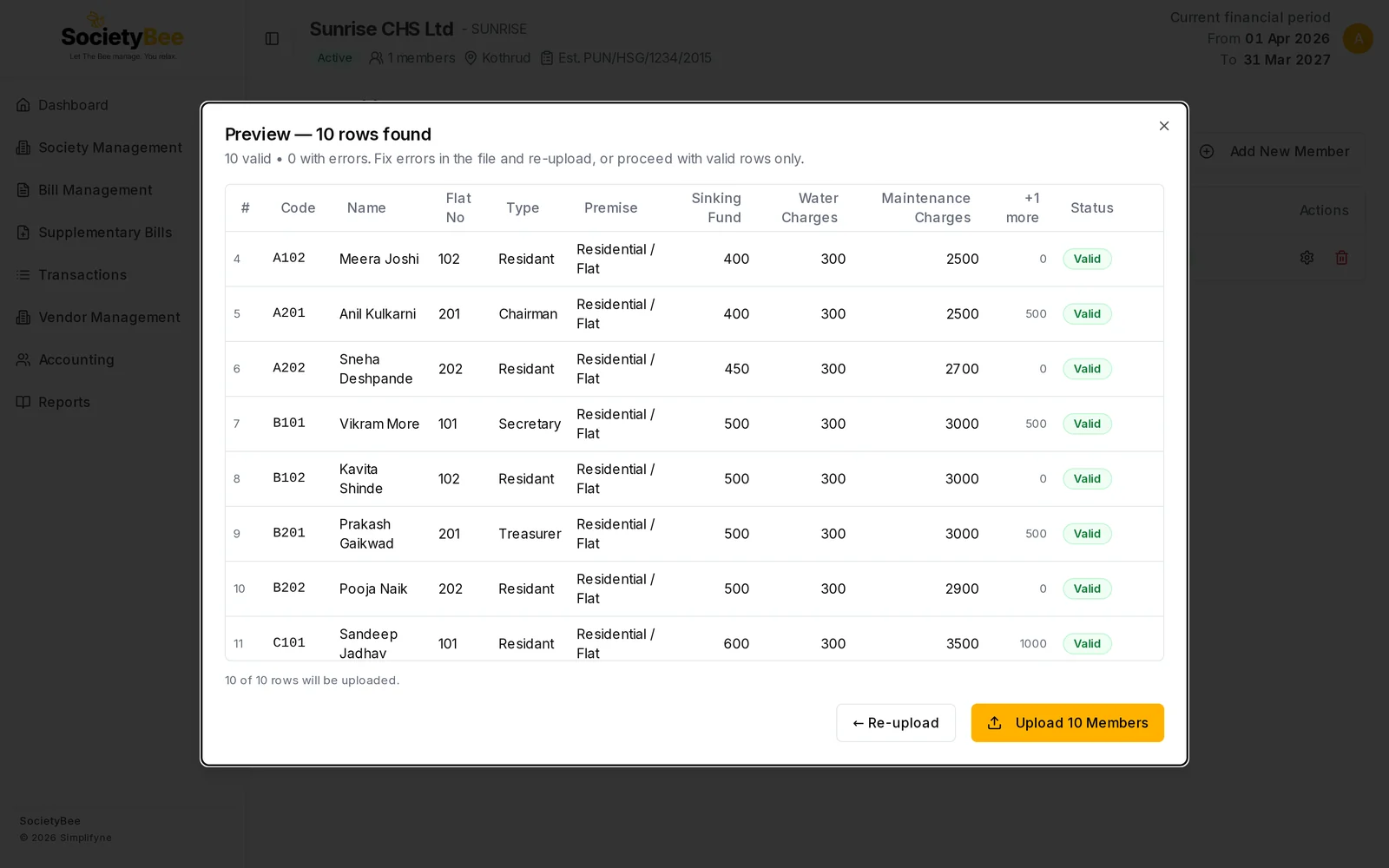
The button shows how many rows will be imported, for example Upload 10 Members. SocietyBee adds them and shows Upload Complete with the number added. The member list then reloads.
The columns
| Column | What to enter | Required |
|---|---|---|
| Member Code | Unique code, for example A102 | Yes |
| Salutation | Mr, Mrs, Ms, Dr or Other | No |
| Full Name | Name on the bill | Yes |
| Associate Name | Co-owner name | No |
| Member Type | A name from the Valid Values sheet, for example Chairman | No |
| Mobile, Associate Mobile | 10 digits. A leading +91 or 0 is removed. | No |
| Email address | No | |
| Aadhaar No, PAN No | Identity details | No |
| Premise Type | Residential or Commercial | Yes |
| Unit Type | Flat or Room (residential). Shop, Office, Warehouse or Gala (commercial). | Yes |
| Flat / Unit No | Number of the unit | Yes |
| Building / Wing | A wing from your society, for example Wing A | No |
| Area, Area Unit | Size, and sq_ft or sq_m | No |
| Additional Premise | Any extra premise note | No |
| Principal Arrears, Interest Arrears, Int-Free Arrears | Old balances. A minus amount is an advance. | No |
| One column per bill heading | The member's amount for that heading, for example Maintenance Charges | No |
Fix the errors
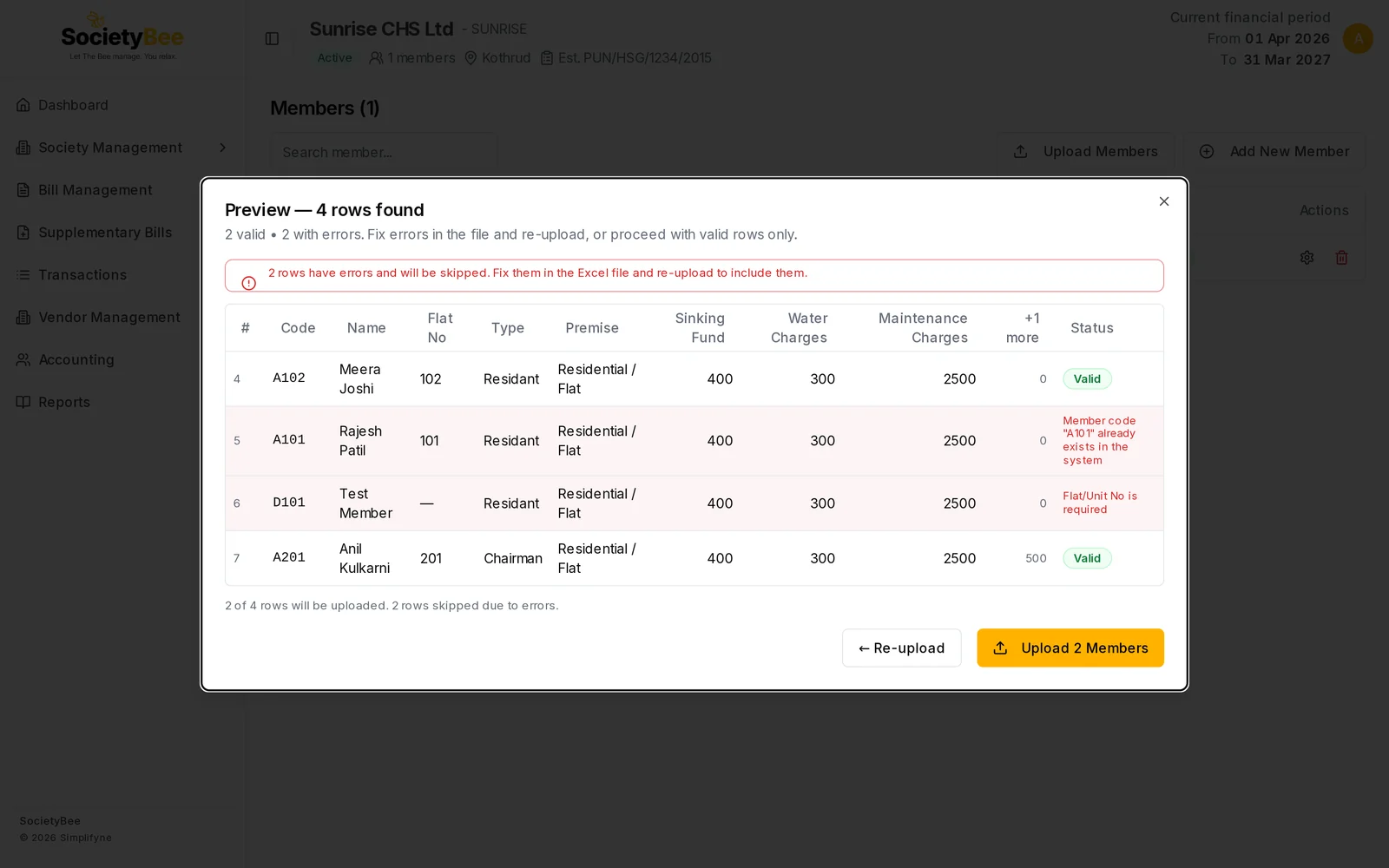
Rows with a problem are marked in red and are skipped if you continue. You can upload the valid rows now and fix the rest in the file, or press Re-upload to start again with a corrected file. Common messages:
| Message | What to do |
|---|---|
| Member Code is required / Full Name is required / Flat/Unit No is required | Fill in the missing cell |
| Member code "A101" already exists in the system | Use a different code. The member is already in SocietyBee. |
| Duplicate member code in file | Two rows use the same code. Make each unique. |
| Mobile "..." must be a 10-digit number | Remove letters, spaces and extra digits |
| Salutation "..." invalid. Use: Mr, Mrs, Ms, Dr, Other | Pick one of those values |
| Member Type "..." not found | Use a Member Type from the Valid Values sheet |
| Premise Type is required / invalid | Use Residential or Commercial |
| Unit Type is required / invalid | Use a unit that matches the premise type |
| Area Unit "..." invalid. Use: sq_ft, sq_m | Use sq_ft or sq_m |
When all rows are fine, the preview shows 10 valid, 0 with errors and a button to upload them all.
Fields and buttons
| Button | What it does |
|---|---|
| Upload Members | Open the bulk upload dialog |
| Download Excel Template | Download the society's template |
| Click to select .xlsx file... | Choose your filled file |
| Re-upload | Go back and choose another file |
| Upload N Members | Import the valid rows |
| Cancel / Close | Leave without importing |
Common mistakes and questions
It says "No data rows found". You may have left only the sample row, or deleted it and left the sheet empty. Add your members below row 3.
The upload says invalid file or asks for 3 header rows. Do not delete rows 1 to 3 of the template. Download a fresh template and copy your data into it.
I uploaded the wrong amount for a heading. Open the member and change it on the Bill Headings tab. Do this before you generate bills.
Can I upload the same file again? Rows whose member code already exists are flagged in the preview as errors and skipped, because codes must be unique. It will not create duplicates.
What happens next
Review your members in the member list, and check any arrears you entered in Member opening balance and arrears.