
Account ledger
Read the full history of every account by group, Liability, Assets, Income and Expenses, with a period filter, search, expandable entries and Excel or PDF downloads.
Before you start
What this does
The Account Ledger shows, for every account in your chart of accounts, the opening balance, the total debit and credit, the closing balance and every entry in between. Accounts are arranged by type in five tabs and grouped by their head group. It is the place to answer what did we spend on lifts this year? or what do we owe this vendor?
Where to find it
Go to Reports > Account Ledger. The page is titled Account Ledgers and has five tabs.
| Tab | What it holds |
|---|---|
| Liability | Funds, deposits, vendors (what you owe), TDS and GST payable |
| Assets | Cash and bank books, deposits, Input GST, Members' Receivable |
| Income | Interest, hall rent, member charges and other income |
| Expenses | Everything the society spent money on |
| Members | One ledger per member. See Member ledgers. |
Read a tab
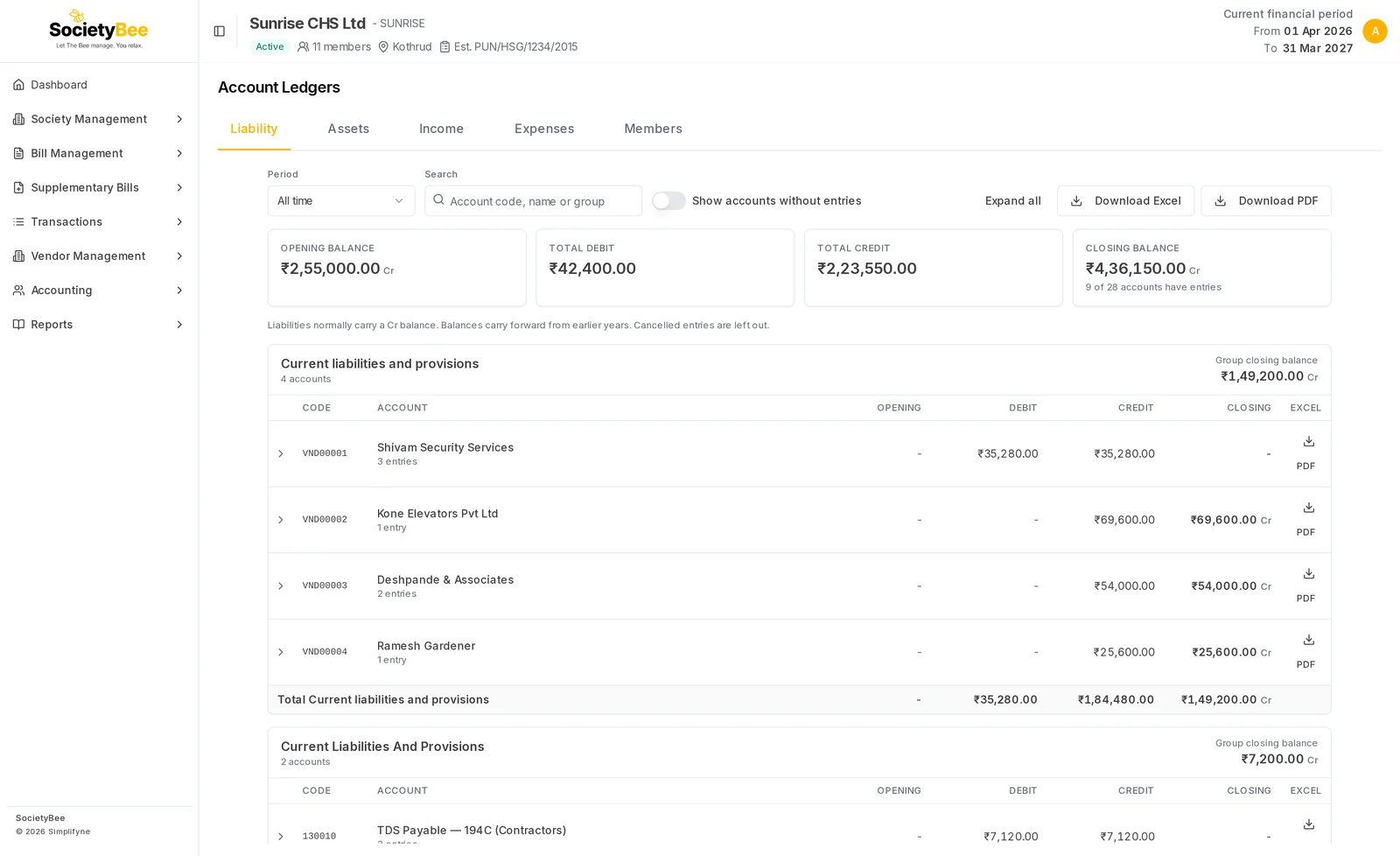
The summary cards
| Card | Meaning |
|---|---|
| Opening balance | The balance of the accounts shown, at the start of the chosen period |
| Total debit and Total credit | The totals of the entries in the period |
| Closing balance | The balance at the end, with Dr or Cr. Beneath it: how many accounts have entries, for example 9 of 28 accounts have entries. |
A line below the cards says which side the tab normally sits on, for example Liabilities normally carry a Cr balance, and that cancelled entries are left out.
The groups
Accounts are shown under their head group, such as Administrative Expenses. Each group shows its Group closing balance and a total row. For each account you see Code, Account, Opening, Debit, Credit and Closing, and under the name, the number of entries.
Choose a period
The Period list holds All time and one entry for each financial year with data, for example FY 2026-27.
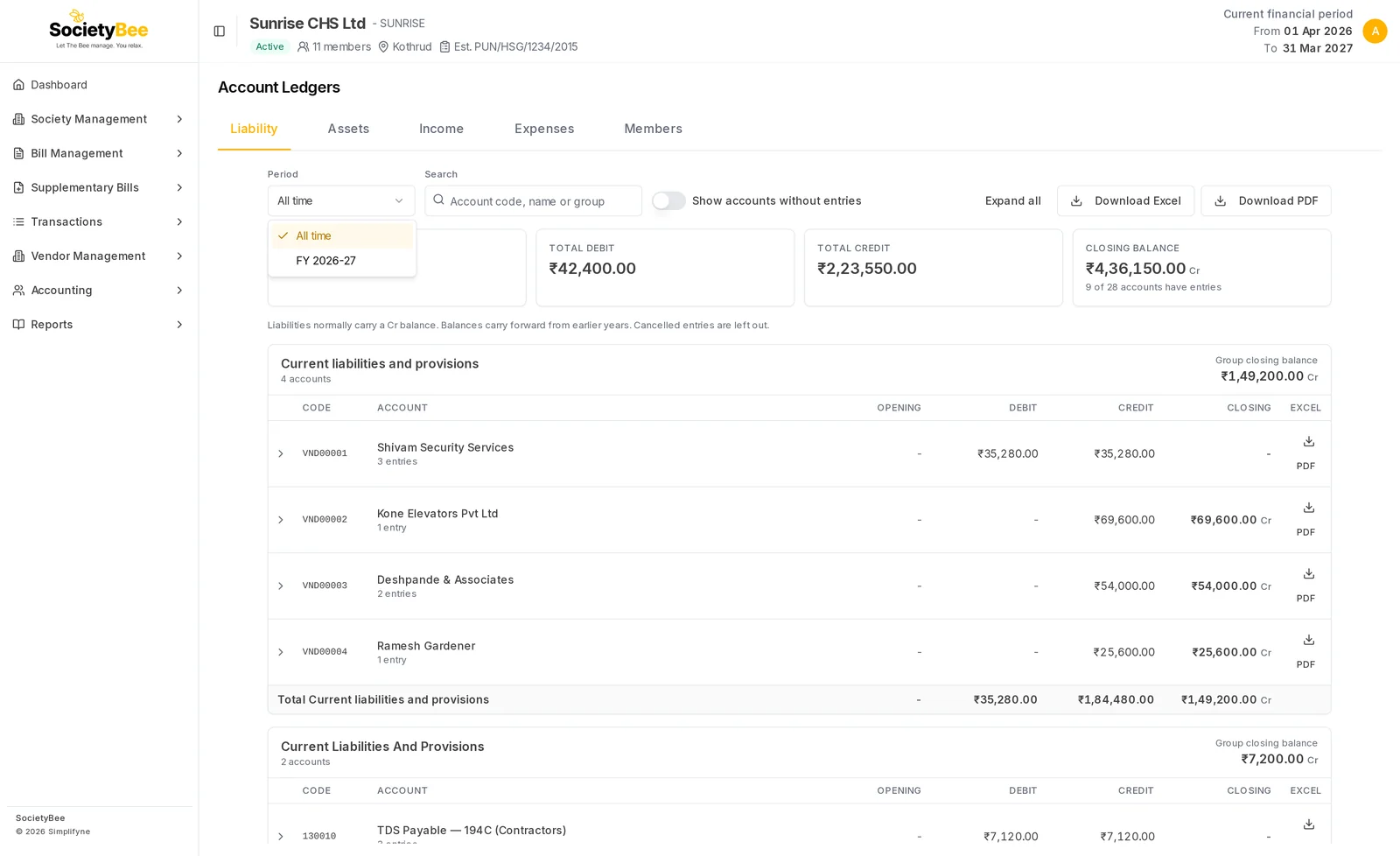
- Assets and Liability start on All time, because balances carry forward from year to year.
- Income and Expenses start on the current financial year, because they start every year at zero.
For a chosen year, Opening is the balance brought forward from earlier years, which is zero for income and expenses.
Search, empty accounts and expand
- Search matches an account's code, name or group, for example lift or 830003.
- Show accounts without entries also lists accounts that have no entries in the period. They are hidden to begin with.
- Expand all opens the entries of every account shown. It changes to Collapse all.
- Press any account's row to open or close its entries.
See the entries of one account
Press the account's row
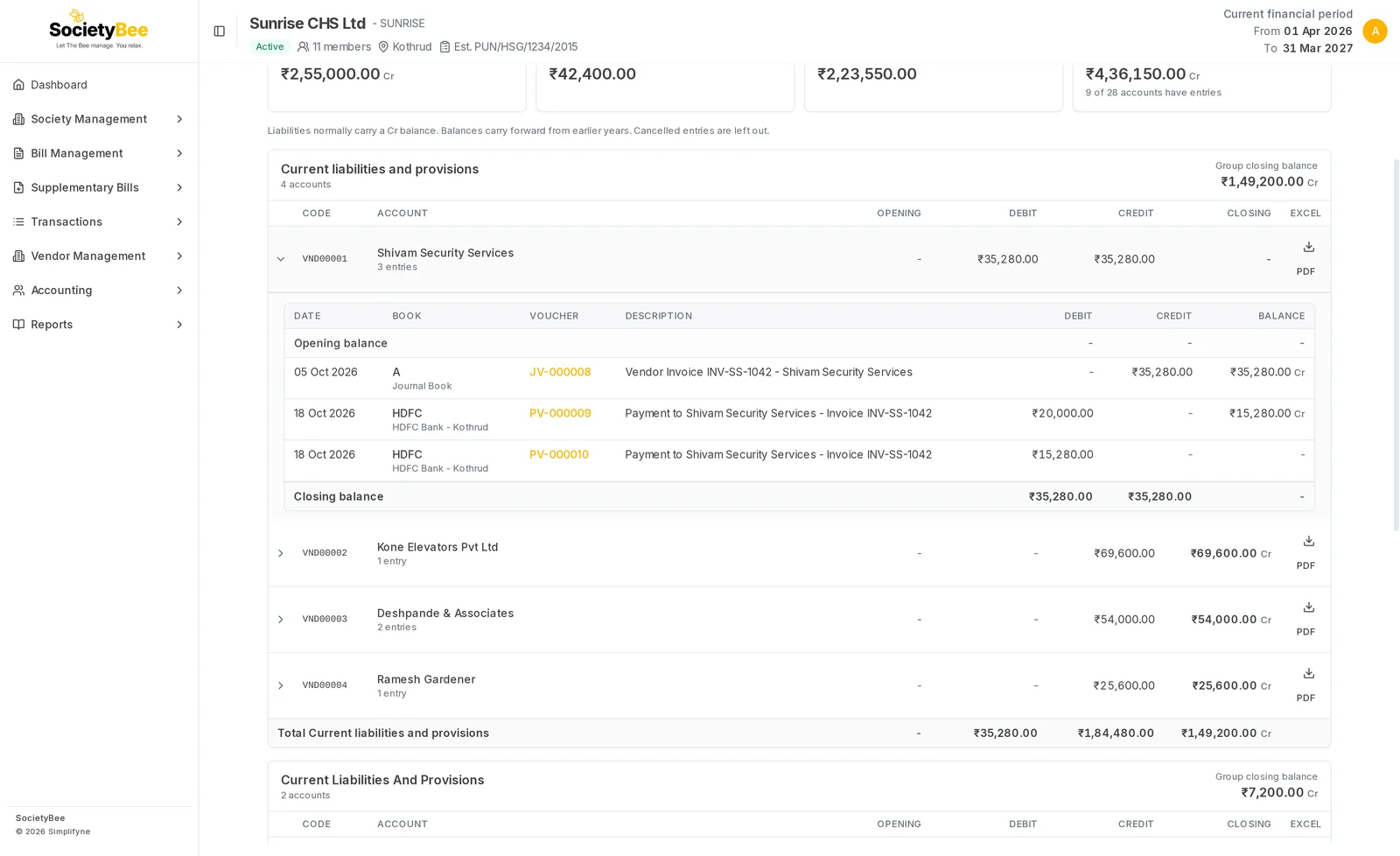
A panel opens under it with the Opening balance, each entry, and the Closing balance.
Read the entry
Each entry has Date, Book, Voucher, Description, Debit, Credit and a running Balance. The book is the cash, bank or journal book the entry was made in.
Open the voucher
Press the voucher number to open the voucher, bill or receipt behind the entry.
Download
| Button | What you get |
|---|---|
| Download Excel, Download PDF at the top | The groups and accounts of the tab and period you are viewing |
| Download icon on an account | That account's ledger as Excel |
| PDF on an account | That account's ledger as PDF |
The buttons appear only when the tab has entries.
The Income and Expenses tabs
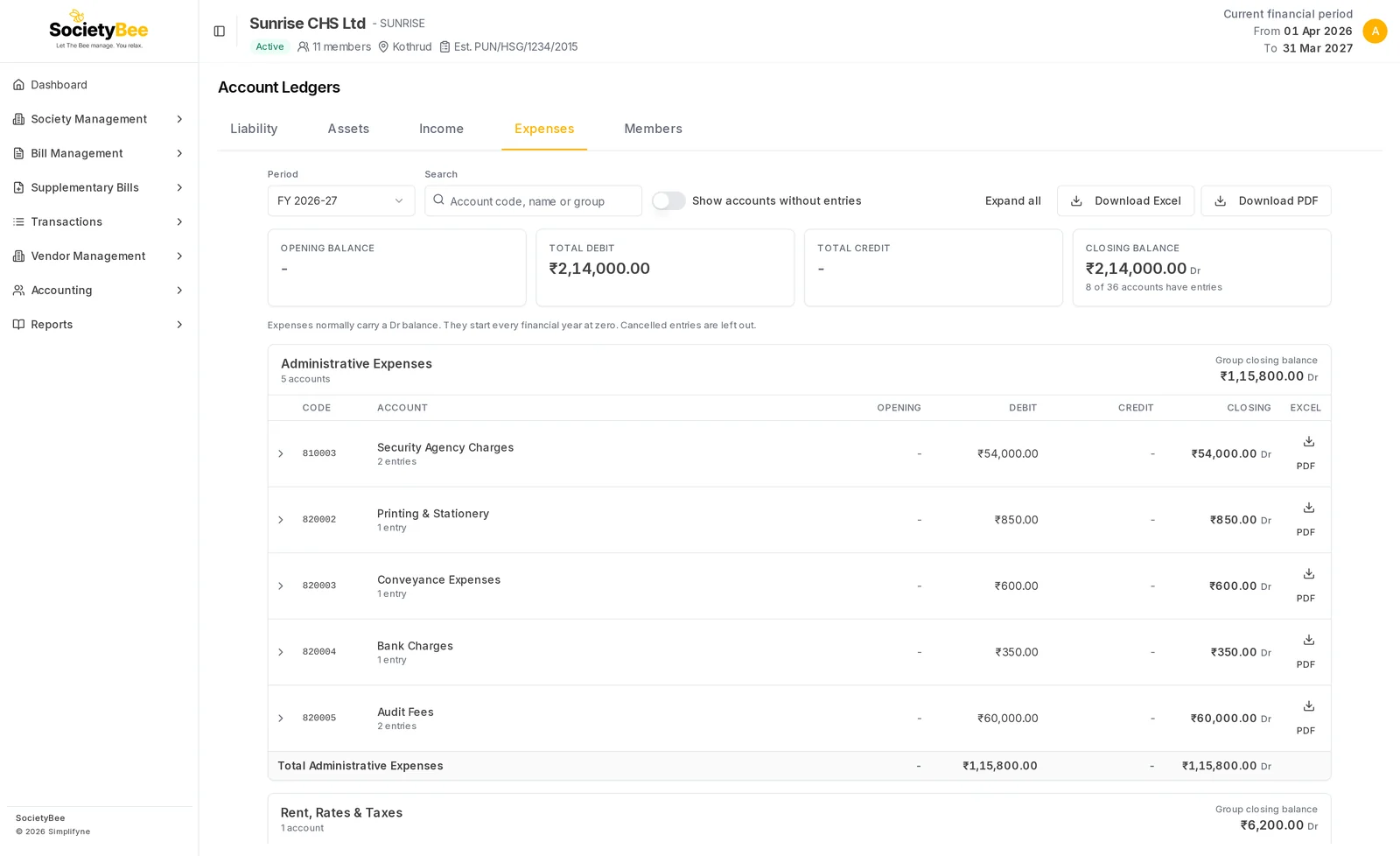
These work in the same way. The Expenses tab shows each expense head with its group, so you can see the cost of security, audit and repairs for the year.
Fields and buttons
| Control | What it does |
|---|---|
| Period | All time, or one financial year |
| Search | Filters by code, name or group |
| Show accounts without entries | Lists unused accounts as well |
| Expand all or Collapse all | Opens or closes every account |
| Download Excel, Download PDF | Downloads the whole tab |
| Account row | Opens that account's entries |
| Voucher link | Opens the voucher, bill or receipt |
Common mistakes and questions
An account I expect is missing. It has no entries in the chosen period. Switch on Show accounts without entries or change the period.
The balance shows Dr but I expected Cr. A balance on the unusual side is not an error by itself, for example a vendor you have overpaid. Open the entries to see why.
Where is the Members' Receivable account? It is on the Assets tab. Member by member, see the Members tab.
The same group name appears twice. Two head groups can have similar names, for example one set up by the system and one added later. Check the head groups under Accounting.
What happens next
See one member's history in Member ledgers, or check that everything adds up in the Trial balance.