
The Defaulters report
See which members have dues past the due date, how old each due is, filter and search the list, open a member's ledger, and understand the credit balance and reconciliation tabs.
Before you start
What this does
The Defaulters report lists every member whose dues are past their due date, with the amount split into principal and interest and aged by how long ago each bill fell due. A member is a defaulter when they owe money and some of it is past the due date of its bill. Dues that are not yet due are not counted.
Where to find it
Go to Reports > Defaulters.
Read the page
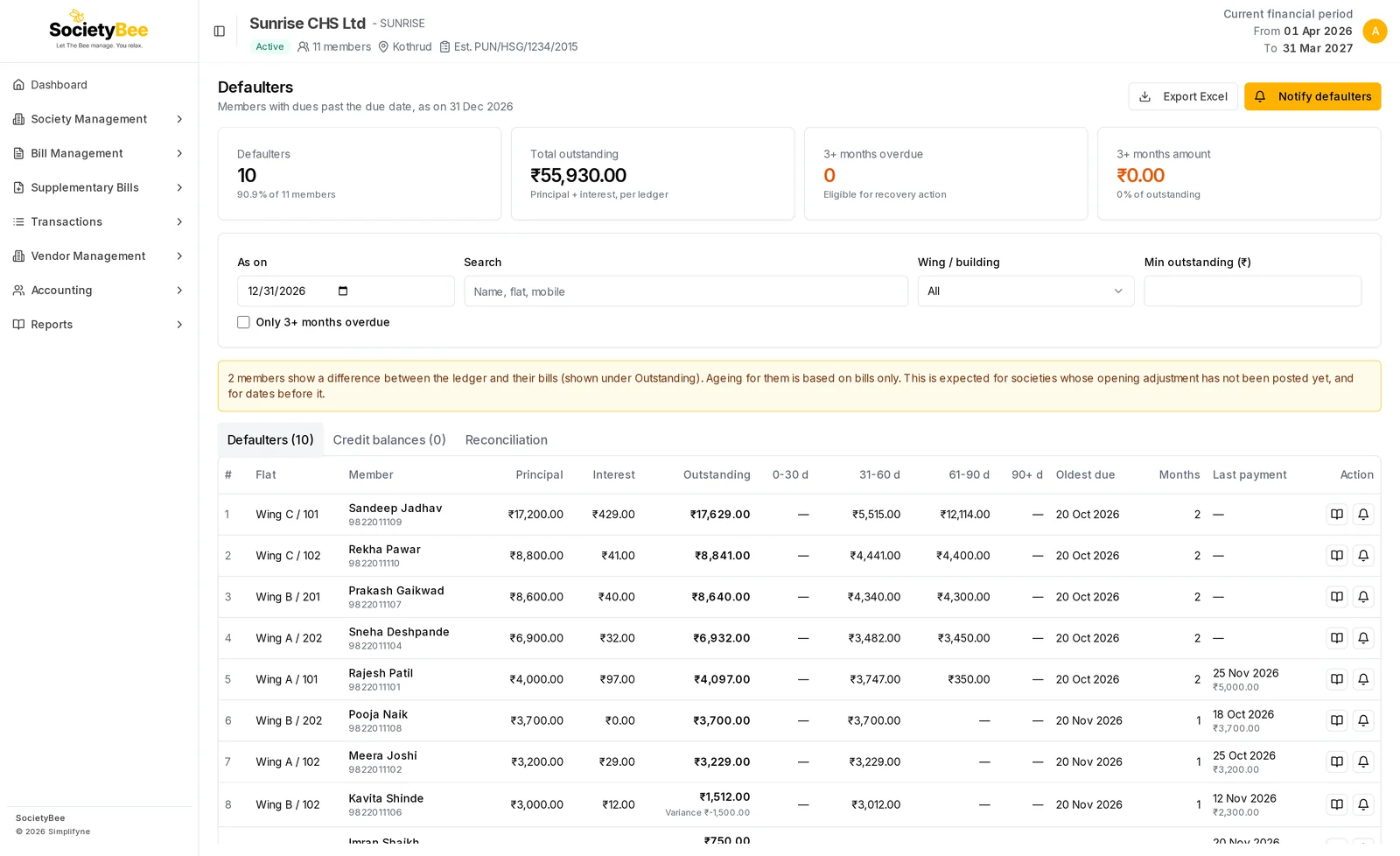
The four cards
| Card | What it shows |
|---|---|
| Defaulters | How many members are defaulters, and the share of all members |
| Total outstanding | Principal plus interest owed by all defaulters, taken from the member ledgers |
| 3+ months overdue | How many defaulters have a due that is 90 days or older |
| 3+ months amount | What those members owe, and its share of the total |
The cards describe all defaulters. They do not change when you search or filter.
The list
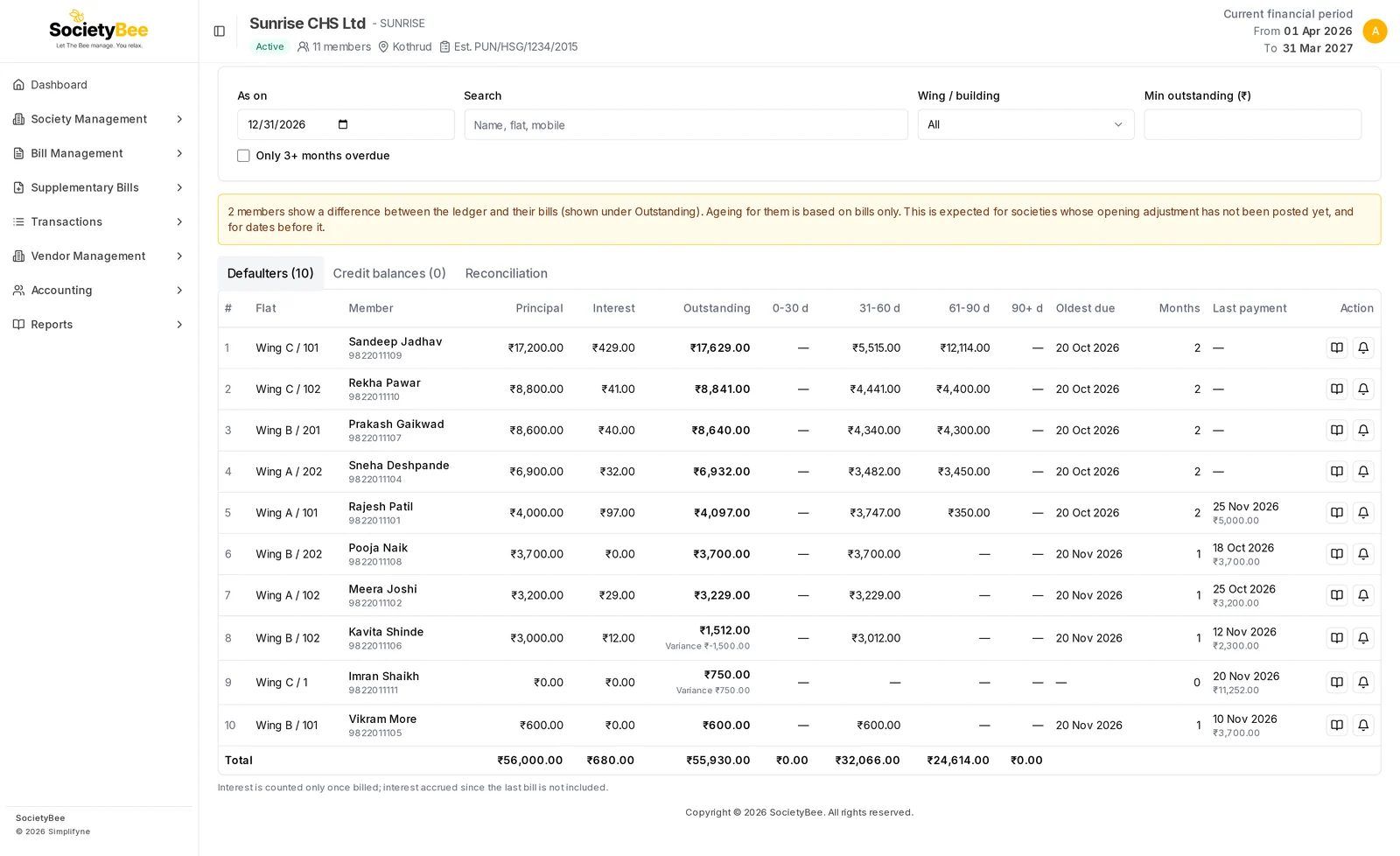
| Column | Meaning |
|---|---|
| Flat | Wing and flat number |
| Member | Name and mobile. A member who has been made inactive shows an Inactive tag. |
| Principal | Unpaid maintenance and other charges |
| Interest | Interest already billed and still unpaid |
| Outstanding | Principal plus interest. If the ledger and the bills disagree, a Variance note appears under it. |
| 0-30 d, 31-60 d, 61-90 d, 90+ d | How many days past the due date each unpaid amount is |
| Oldest due | The due date of the oldest unpaid bill |
| Months | Days overdue for the oldest unpaid bill divided by 30, rounded down |
| Last payment | The date and amount of the latest receipt |
| Action | The book icon opens the member's ledger. The bell icon sends a notice. |
A Total row sums the rows you are looking at.
Change the date and filter the list
Set As on
The report starts as on today. Pick another date to see dues as they stood then, or to look ahead and see which bills will be overdue by that date. The whole report reloads for that date.
Search
Type a name, flat number, wing or mobile number. The list narrows as you type.
Choose a Wing / building
Show one wing only.
Set Min outstanding (₹)
Hide members who owe less than this amount.
Tick Only 3+ months overdue
Keep only members whose oldest due is 90 days or older. These are the members you may take recovery action on.
Press Export Excel to download the list as filtered on screen, with the filters written at the top of the sheet. If no defaulter matches your filters, a message says No defaulters match the filters.
Open a member's ledger
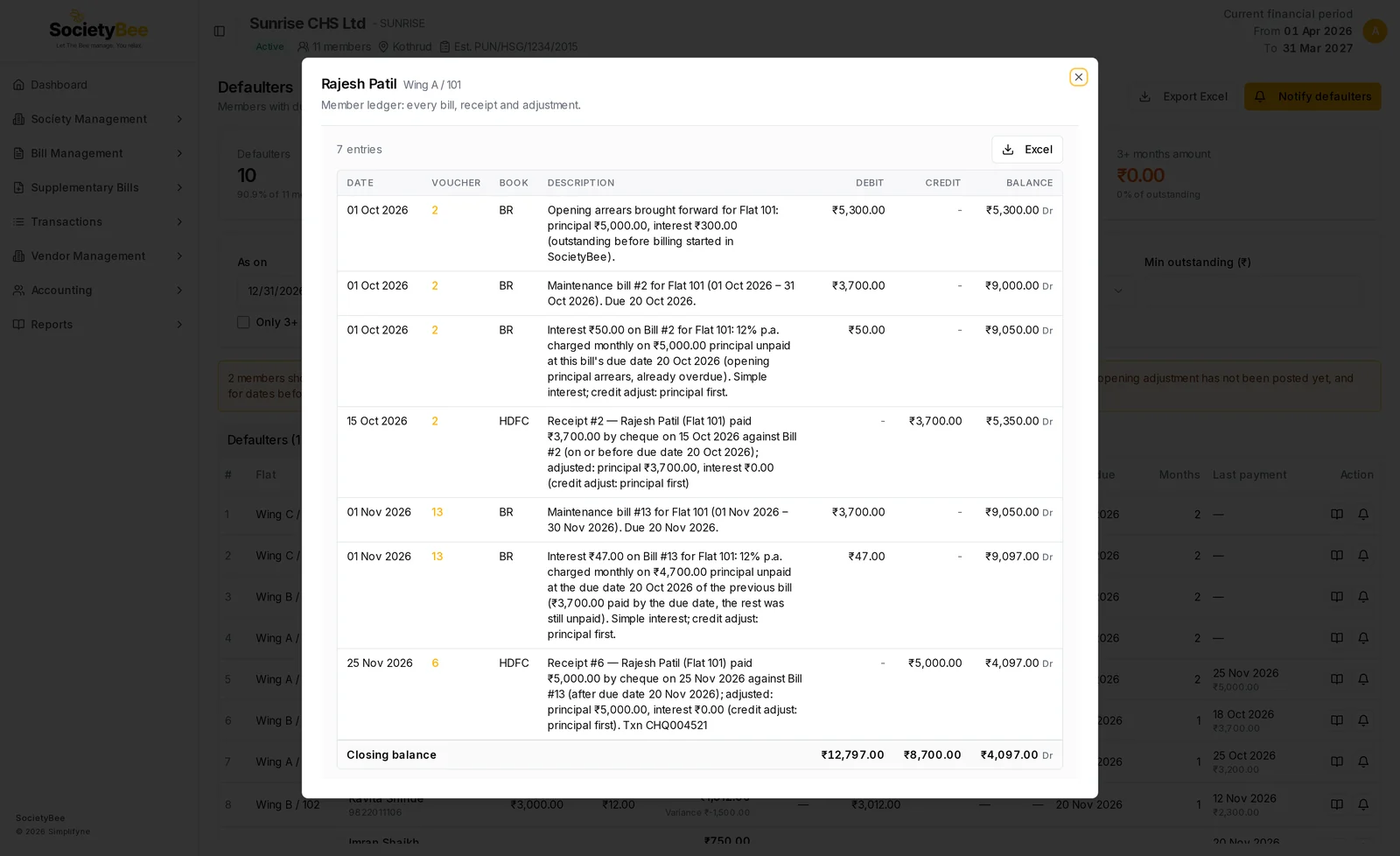
Press the book icon on a row. A window opens with every bill, receipt and adjustment of that member, with a running balance. You can download it with Excel, and press a bill, receipt or voucher number to open it for correction. See Member ledgers.
The Credit balances tab
This tab lists members who have paid more than they were billed (an advance), with the credit amount and the last payment. It says No credit balances when there are none.
The Reconciliation tab
This tab checks the member balances against the books. The total of all member balances must equal the Members' Receivable (200002) account on the balance sheet.
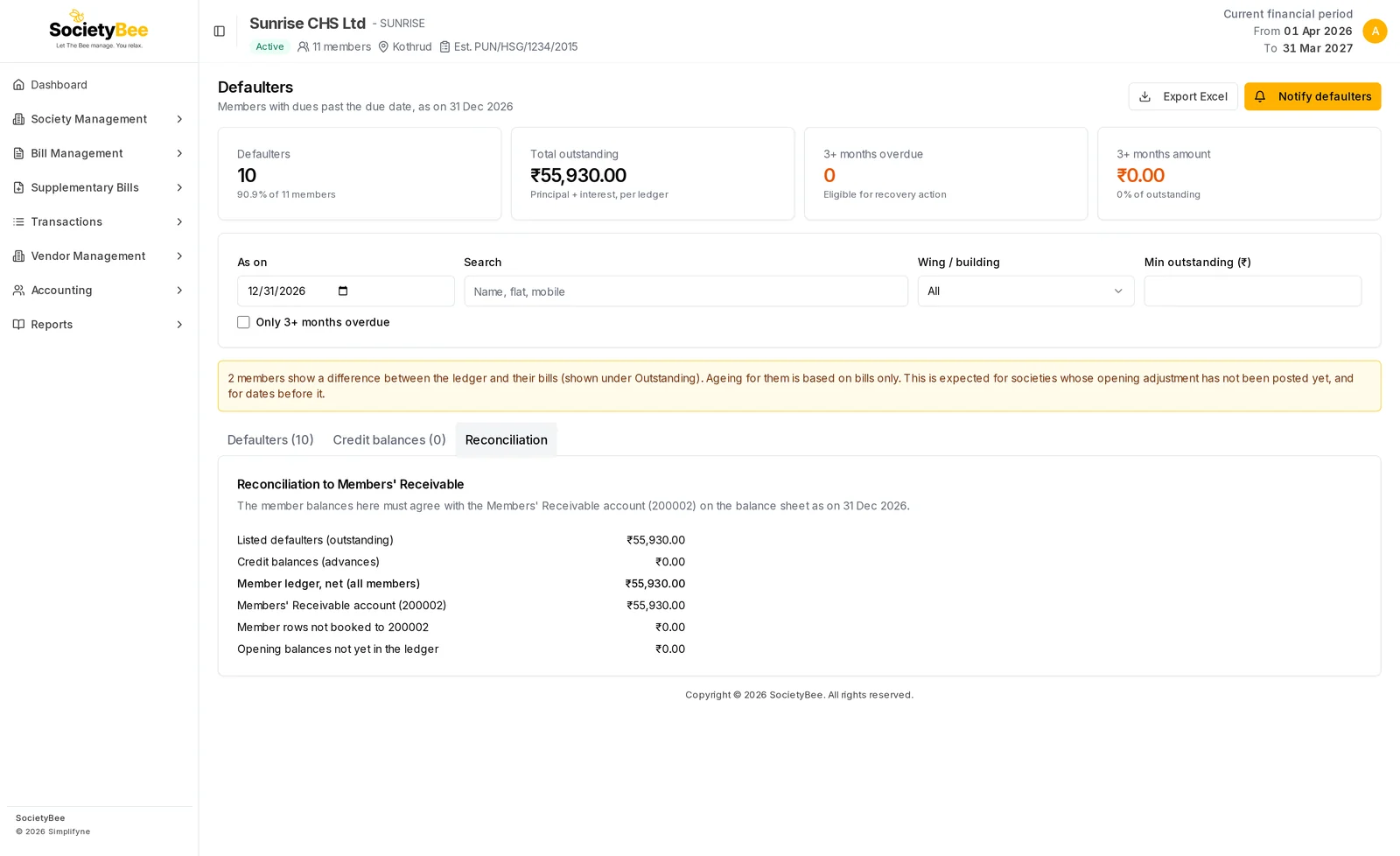
| Line | Meaning |
|---|---|
| Listed defaulters (outstanding) | The total of the defaulters list |
| Credit balances (advances) | The total of members in credit, shown as a negative amount |
| Member ledger, net (all members) | What all members owe, net of advances |
| Members' Receivable account (200002) | The same figure taken from the accounts |
| Member rows not booked to 200002 | Older entries from before the opening adjustment. It should be zero. |
| Opening balances not yet in the ledger | Opening dues that are not yet posted. It should be zero. |
If the first two differ, an amber note says the balance sheet will not agree with the member balances until the opening adjustment is posted. See Opening balances.
Fields and buttons
| Control | What it does |
|---|---|
| As on | The date the dues are worked out for |
| Search | Name, flat, wing or mobile |
| Wing / building | Limit the list to one wing |
| Min outstanding (₹) | Hide small dues |
| Only 3+ months overdue | Show only the oldest dues |
| Export Excel | Download the filtered list |
| Notify defaulters | Open the bulk notice window. See Notify defaulters. |
| Book icon | Open the member's ledger |
| Bell icon | Send a notice to one member |
Common mistakes and questions
A member who has not paid is not on the list. Their bill is probably not yet due as on the chosen date. Set As on to a date after the due date.
What does Variance mean? The ledger and the member's bills give different totals, for example because of a charge posted by a voucher that is not in a bill. The Outstanding figure comes from the ledger. The ageing for that member is based on bills only. The amber banner at the top counts these members.
Interest looks lower than I expected. Only interest that has been billed is counted. Interest that has built up since the last bill appears when the next bill is generated. See Interest on arrears.
Why is a member with a credit balance not here? They have paid more than billed. Look in the Credit balances tab.
What happens next
Send reminders with Notify defaulters.