SocietyBee
    Billing
    Automated maintenance & charge billing
    Collections
    Track payments, send reminders
    Accounting
    Double-entry ledger & bank reconciliation
    Reports & Compliance
    Bye-law compliant statutory reports
    BeeAgent AI
    Natural language queries on your data
    For CAs & Accountants
    Manage all societies from one login
    For Treasurers
    Simple billing & audit-ready records
    For Managing Committee
    Visibility without the spreadsheets
    Docs
    Step-by-step guides for every module
    Blog
    Society management guides & tips
    Glossary
    Accounting & society terms explained
    vs MyGate
    Accounting vs gate security app
    vs ApnaComplex
    Multi-society CA login vs per-society pricing
    vs SocietyRun
    BeeAgent AI & zero gateway commission
    vs NoBrokerHood
    Accounting vs marketplace app
    vs Excel
    Audit trail & statutory reports vs spreadsheets
    Pricing
    Sign inStart free →
    Society Onboarding
    • Setup checklist: what to do in which order
    • Sign up and sign in
    • Create your society
    • Society basic details and bill settings
    • Set the interest formula
    • GST and TDS settings
    • Set up bill headings
    • Collection bank, WhatsApp reminders and bill comments
    • Bank books, cash book and chart of accounts
    • Opening balances and arrears
    Member Onboarding
    Bills
    Receipts
    Vouchers
    Vendors, TDS and GST
    Reports
    Supplementary Bills
    Bank Reconciliation
    Docs / Society Onboarding

    Sign up and sign in

    Create your free SocietyBee account with your email, confirm it with a code, and sign in again later with a one-time code. There is no password to remember.

    Who can do this:account owner 4 min read Checked 18 Oct 2026

    What this page does

    SocietyBee uses your email address and a one-time code (OTP) instead of a password. You register once, confirm your email with a code, and from then on you sign in the same way: type your email, get a code, enter it.

    Create your account
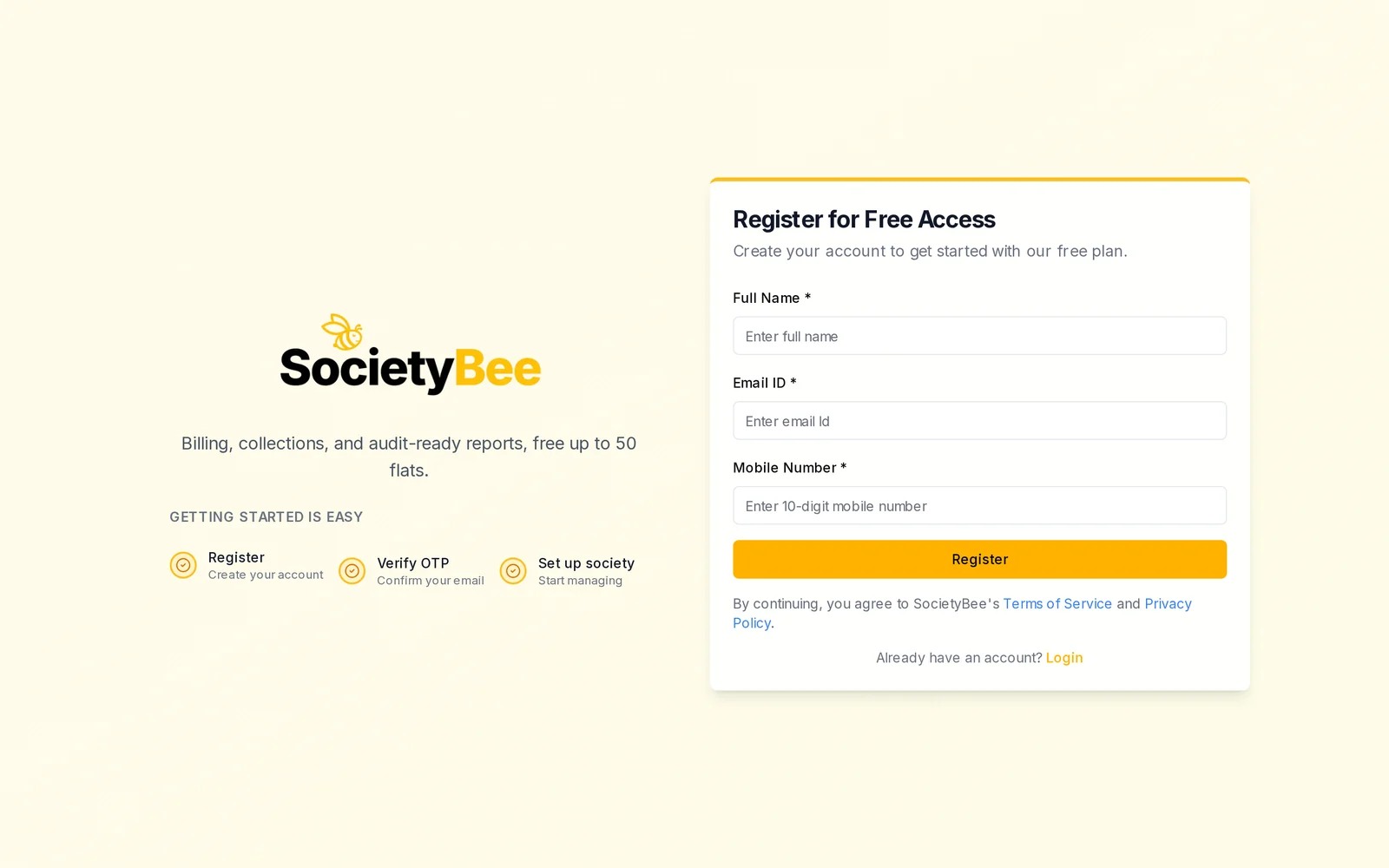
    Register for Free Access page with Full Name, Email ID and Mobile Number
    The Register page. The three steps are shown on the left: Register, Verify OTP, Set up society.
    1. Open the Register page

      Go to the SocietyBee website and choose Start free, or open /signup. The page is called Register for Free Access. SocietyBee is free up to 50 flats.

    2. Fill in your details

      Enter your Full Name, Email ID and a 10-digit Mobile Number. All three are required. Use an email you can open right now, because the code is sent there.

    3. Press Register

      SocietyBee sends a 6-digit verification code to your email and opens the Verify Your Email page.

    4. Enter the verification code

      Open the email titled Your SocietyBee verification code, copy the 6 digits and enter them in Verification Code, then press Verify. The code expires in 1 hour. If you typed the email wrongly, use Change email ID at the top of the page to go back.

    5. Continue to your society

      A green Authentication Successful page confirms that your email is verified. Press Onboard Your Society to create your society.

    Sign in later
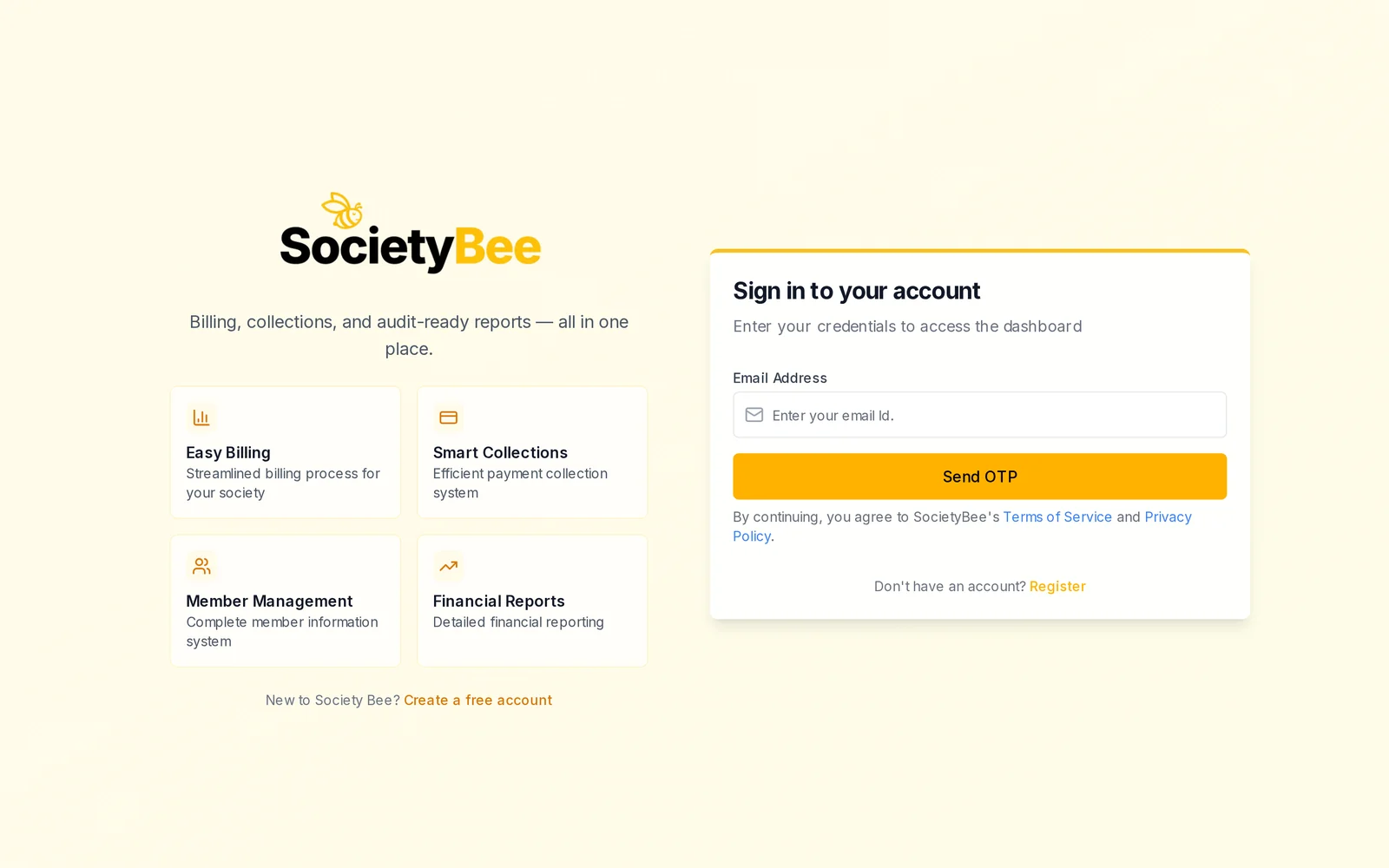
    Sign in to your account page with an Email Address box and a Send OTP button
    Sign in with just your email address.
    1. Open the Sign in page

      Go to /login, or choose Sign in on the SocietyBee website.

    2. Type your email and press Send OTP

      Enter the email you registered with. SocietyBee sends a new 6-digit code to it.
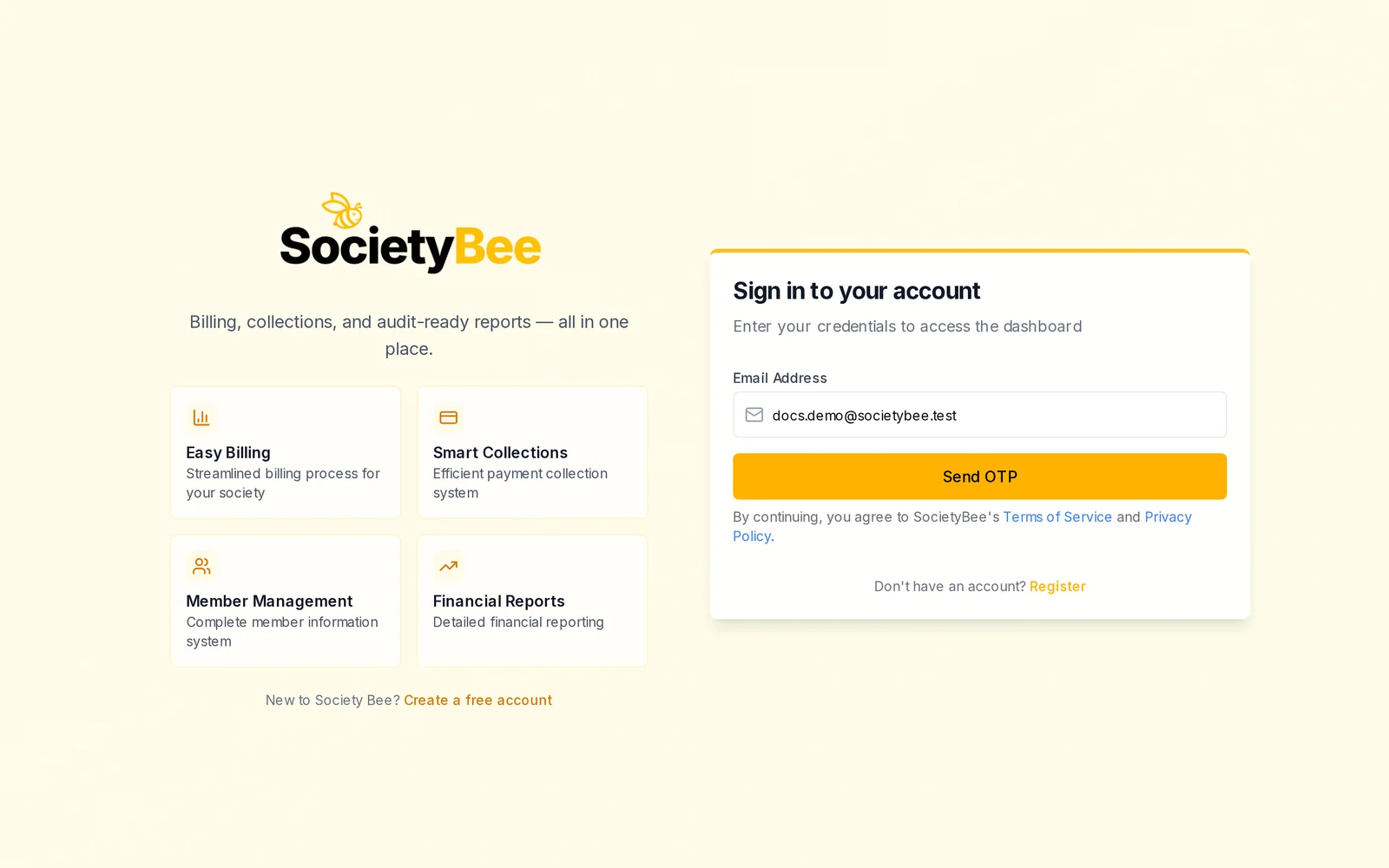
      Email Address filled with the demo email and the Send OTP button
      Your email address, then Send OTP.
    3. Enter the OTP

      The page changes to Enter OTP to sign in with six boxes. Type the code and press Login.
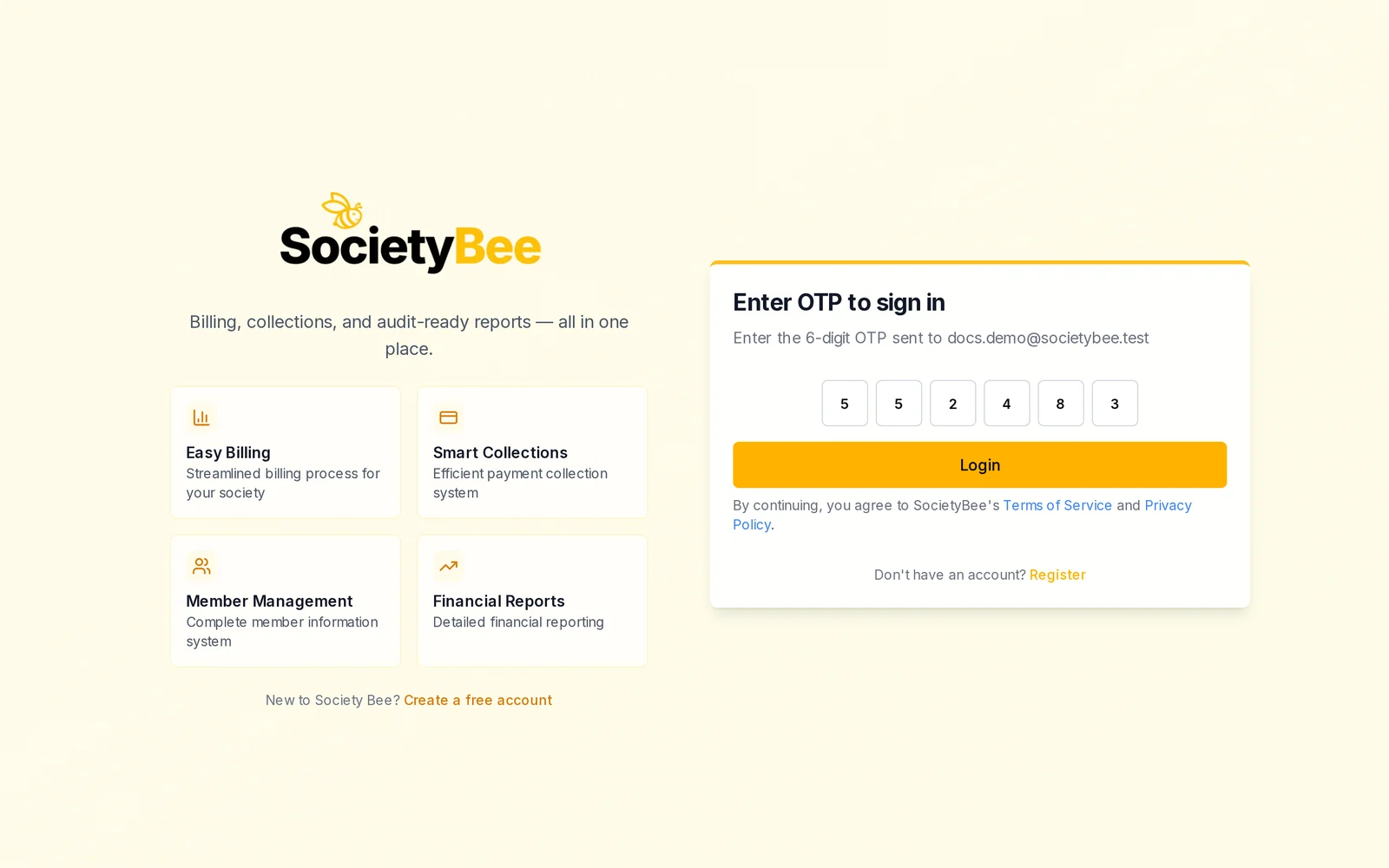
      Enter OTP to sign in with six digits typed in the boxes
      Type the 6-digit code from the email.
    4. Choose your society

      You land on Welcome back with the list of your societies. Click a society to open its dashboard, or use New Society to add another one.
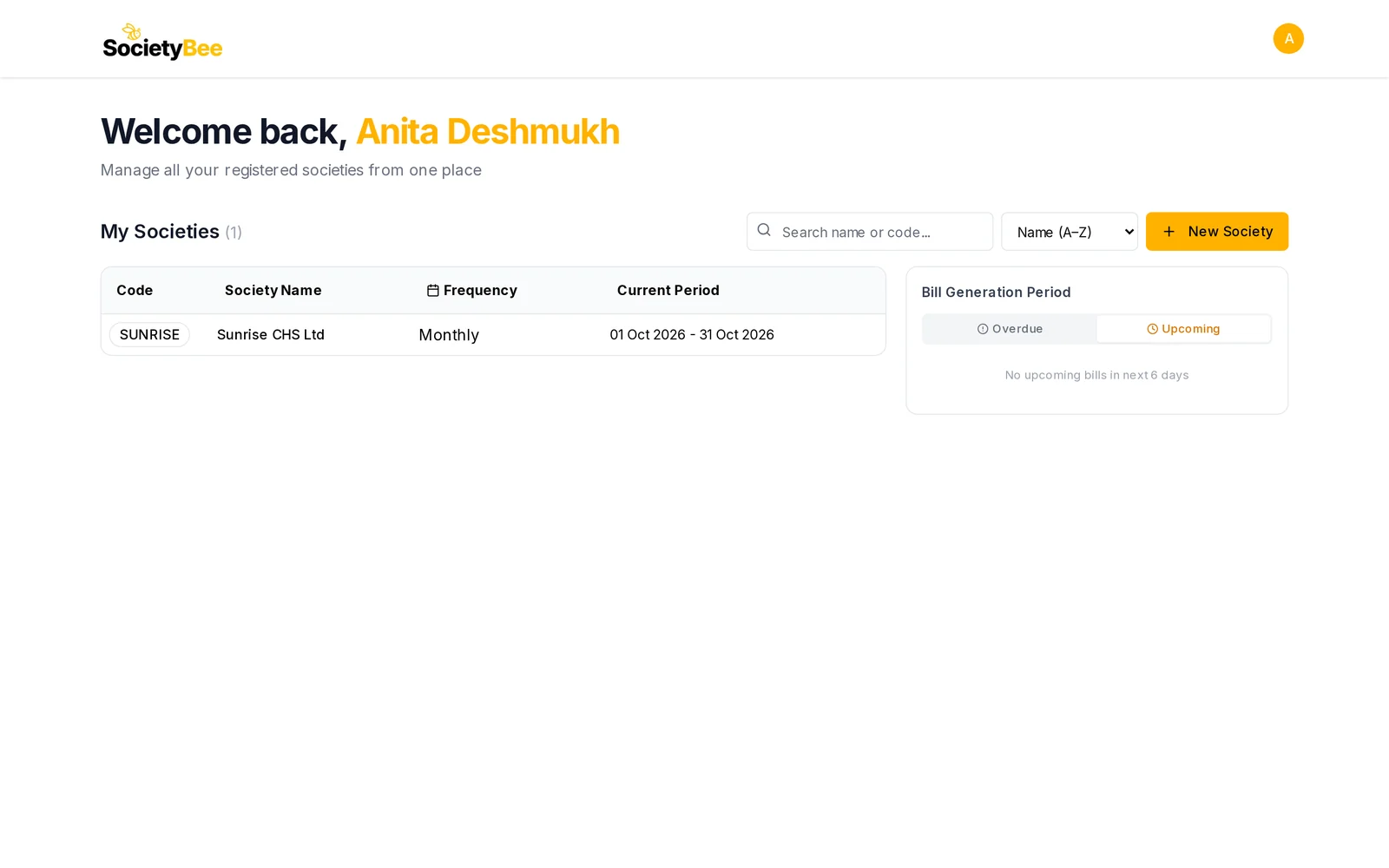
      Welcome back page with the My Societies list showing SUNRISE, a search box, a sort list and the New Society button
      My Societies. Use the search box to find a society by name or code.

    Fields and buttons

    Field or buttonWhat it meansExample
    Full NameYour name, shown in the appAnita Deshmukh
    Email IDThe email the code is sent to. This is your sign-in.office@sunrisechs.in
    Mobile Number10-digit mobile number9876543210
    RegisterCreate the account and send the verification code
    Change email IDGo back and correct the email
    Verification CodeThe 6-digit code from the email123456
    VerifyConfirm the email
    Email Address (sign in)The email you registered with
    Send OTPEmail a new 6-digit code
    LoginSign in with the code
    New SocietyAdd another society to your account

    Common mistakes and questions

    I did not get the code. Check your spam folder first, and make sure you typed the email correctly. Then press Send OTP again to get a fresh code, and use the code from the newest email.

    The code says it is invalid or expired. A code works for 1 hour. Request a new one and enter it carefully.

    Can I manage more than one society with one account? Yes. Use New Society on the society list. Each society has its own code and its own books.

    I forgot my password. There is no password. Sign in with your email and a new OTP each time.

    Tip

    Use your own email, not a shared one such as an office inbox that many people read. Anyone who can read that inbox can sign in to your society.

    What happens next

    You are signed in. Next, create your society.

    Related guides

    • Create your society
    • Setup checklist: what to do in which order
    PreviousSetup checklist: what to do in which orderNext Create your society

    On this page

    1. What this page does
    2. Create your account
    3. Sign in later
    4. Fields and buttons
    5. Common mistakes and questions
    6. What happens next
    SocietyBee

    Built in Mumbai by Simplifyne Technologies Private Limited. Serving housing societies across India.

    Enquiries

    +91 95949 04493
    admin@societybee.in

    Product

    • Billing
    • Collections
    • Accounting
    • Reports & Compliance
    • BeeAgent AI
    • For CAs & Accountants
    • For Treasurers
    • For Managing Committee

    Resources

    • Docs
    • Blog
    • Glossary
    • SocietyBee vs MyGate
    • SocietyBee vs ApnaComplex
    • SocietyBee vs SocietyRun
    • SocietyBee vs NoBrokerHood
    • SocietyBee vs Excel

    Company

    • About
    • Trust & Security
    • Pricing
    • Early Access
    • Book a Demo
    • Contact
    • Privacy Policy
    • Terms & Conditions
    • Refund Policy

    🇮🇳 We serve housing societies across India

    Operating team based in Mumbai.

    © 2026 Simplifyne Technologies Private Limited.

    All rights reserved.