
Setup checklist
Everything to set up before your first bill, in the right order, with what to keep ready and a link to the guide for each step.
What this page does
This is the map for your first setup. It lists every step in the order that works best, so you do not have to go back and fix things later. Most societies finish the setup in one sitting once the documents below are ready.
Keep these ready
- Registration certificate of the society, for the registration number.
- PAN and TAN, if you have them (optional at the start).
- Bank details: account number, IFSC and branch, plus a payment QR code image if you want one printed on bills.
- Your last audited balance sheet, for opening balances of cash, bank, funds and members' dues.
- Member list: flat numbers, wing or building, owner names and mobile numbers, and what each flat pays.
- The list of charges on your bills, such as maintenance, sinking fund, water and parking, with amounts.
The checklist
| # | Step | Needed? | Guide |
|---|---|---|---|
| 1 | Create your account and sign in | Always | Sign up and sign in |
| 2 | Create your society | Always | Create your society |
| 3 | Check the society details and bill settings | Always | Society basic details and bill settings |
| 4 | Set due days, interest rate and how payments are adjusted | Always | Set the interest formula |
| 5 | Switch on GST and TDS | Only if they apply to you | GST and TDS settings |
| 6 | Add the charges that appear on bills | Always | Set up bill headings |
| 7 | Add the collection bank, WhatsApp reminders and bill comments | Optional | Collection bank, WhatsApp reminders and bill comments |
| 8 | Add bank accounts and set the opening cash and bank balance | Recommended | Bank books, cash book and chart of accounts |
| 9 | Enter opening balances for funds | If you had earlier accounts | Opening balances and arrears |
| 10 | Add your members and their arrears | Always | Member onboarding |
| 11 | Preview and generate the first bill | Always | The monthly billing cycle |
How to know the setup is done
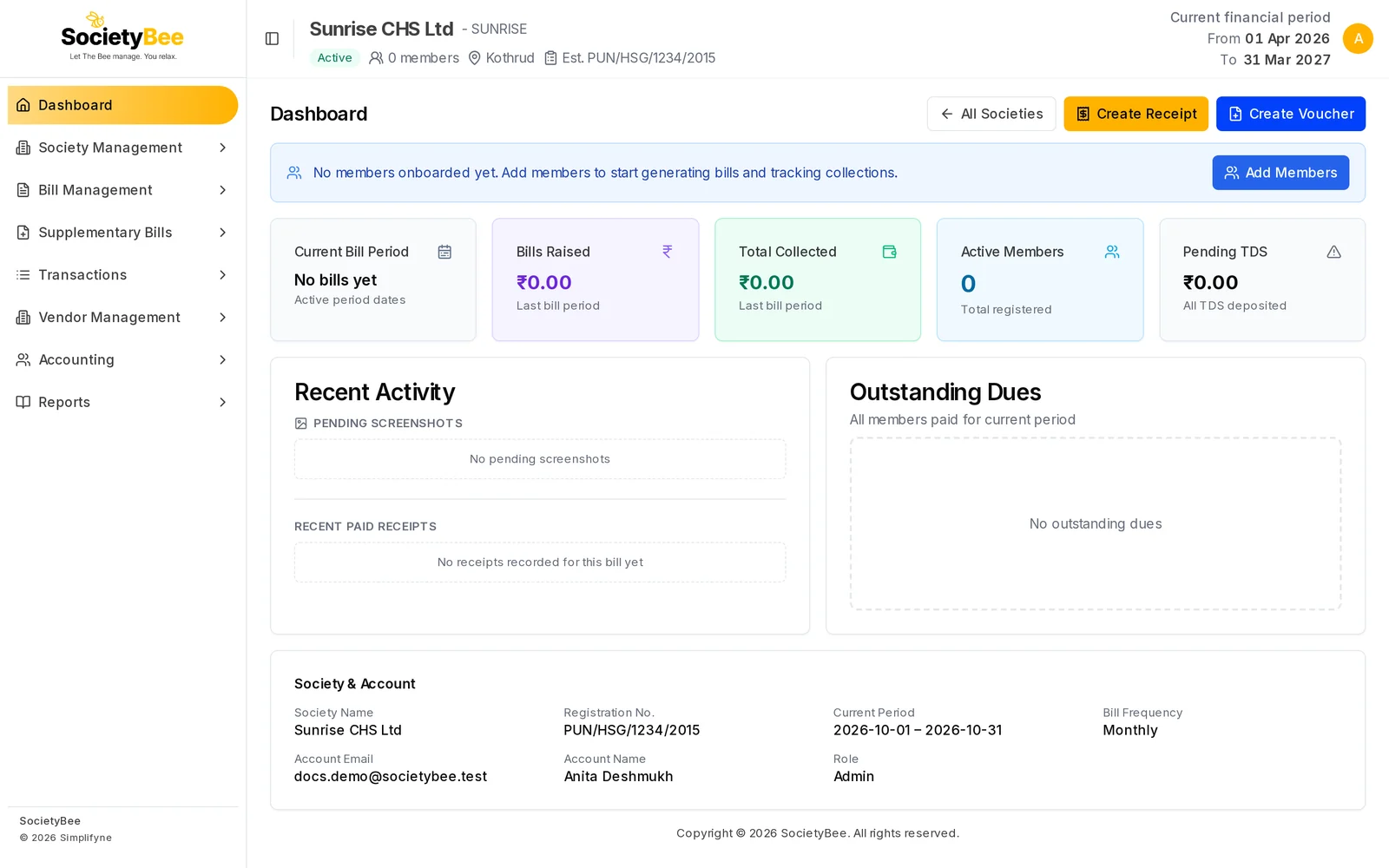
Your society is onboarded once Bill Headings is saved. From then on the Society Information page shows an Onboarding Complete badge, and the Add Members button appears next to it. The dashboard also reminds you with a blue bar: No members onboarded yet. Add members to start generating bills and tracking collections.
Common mistakes and questions
Which step should I never skip? Bill headings. Without at least one heading there is nothing to put on a bill, and the Bill Headings step cannot be saved.
Can I change these settings later? Yes, most of them. The Society Code cannot be changed. Change the interest formula and bill headings before you generate the first bill, so that every bill uses them.
Do I have to enter opening balances? Only if the society had accounts before SocietyBee. A brand-new society starts at zero.
What happens next
When the checklist is complete, you are ready to bring in your members. Go to Member onboarding.